
LLM Management
The LLM Management section allows administrators to configure, manage, and monitor Large Language Models used by Network Copilot for query processing and response generation.
This section is accessible only in Admin View.

LLM Overview
The LLM list displays all configured models with the following details:
LLM Name - Identifier for the configured model
Description - Model purpose or usage context
Status - Current state (for example, active)
Last Synced - Most recent synchronization time
Connected - Timestamp indicating successful connectivity
Administrators can search existing LLMs using the Search LLMs field at the top.
Add / Configure LLM
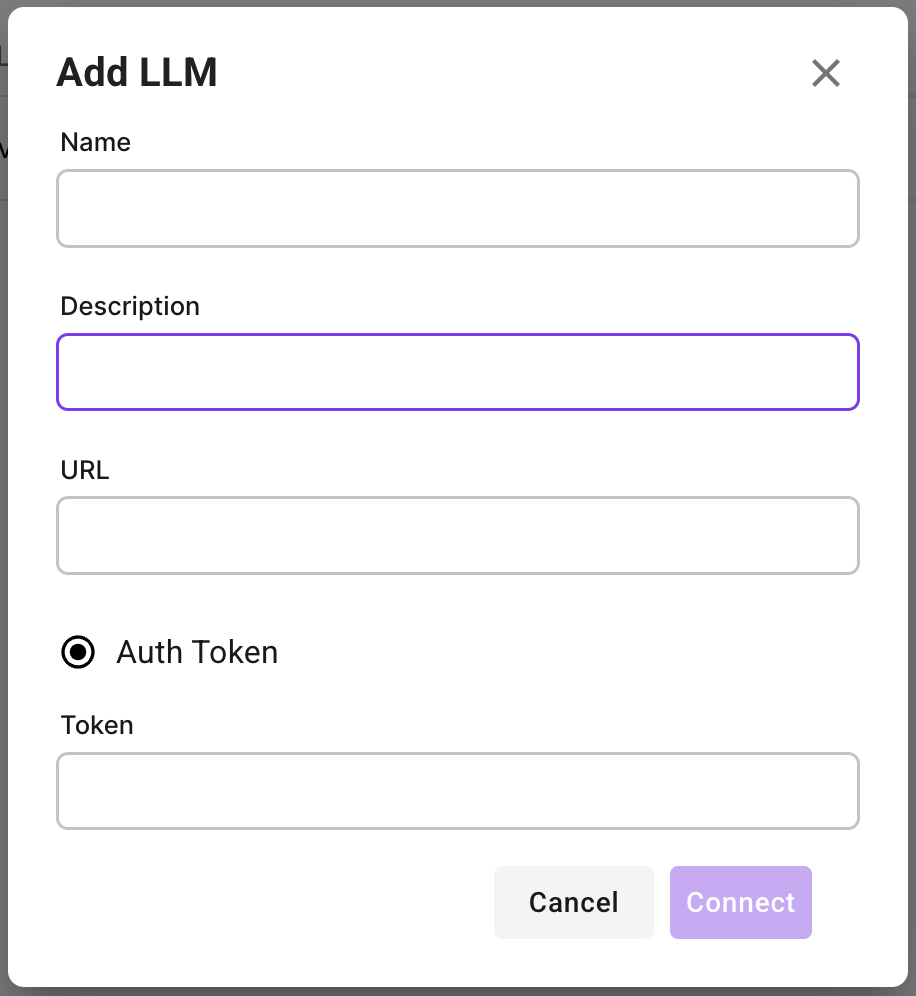
To add a new LLM endpoint:
Click Configure LLM
Provide the following details:
Name - Logical name for the LLM
Description - Optional description
URL - Endpoint URL for the LLM service
Auth Token - Authentication token for secure access
Click Connect to validate and register the LLM
Once connected, the LLM becomes available for use within the platform.
One LLM can be configured as the default system LLM.
Additional validated LLMs can be selected at the project level during project creation.
Last updated