# Configuring OPBNOS
Aviz OPBNOS provides a highly scalable, flexible and affordable solution to aggregate, filter and load balance network traffic from hardware or virtual TAPs to connected tools for analysis and visualization.
It provides line rate traffic forwarding using switching ASIC by configuring flow paths between two or multiple ports, By leveraging the OPBNOS solution, enterprises can quickly be scaled up or down to meet the ever-changing demands of network visibility and security tools.
* Download the latest build of OPBNOS from [here](https://support.aviznetworks.com/hc/en-us/sections/10268293275149-OPB)
* OPBNOS can be installed by following the [installation guide](https://aviznetworks.gitbook.io/opbnos-r2.6/getting-started/image-management)
* Login into the switch with default credentials
* User: admin
* Password: admin
* Configure [Management IP](https://aviznetworks.gitbook.io/opbnos-r2.6/cli-configuration-guide/interface-management/configuring-management-interface)
```bash
configure terminal
interface mgmt
ip address 10.4.4.96/23 gateway 10.4.4.1
end
```
* Configure [network ports](https://aviznetworks.gitbook.io/opbnos-r2.6/cli-configuration-guide/configuring-flows-and-rules/configuring-network-ports), these are the ports that connect to network-taps
```bash
configure terminal
interface ethernet Ethernet63/1
forward-error-correction rs
type network
end
```
* Configure [tool ports](https://aviznetworks.gitbook.io/opbnos-r2.6/cli-configuration-guide/configuring-flows-and-rules/configuring-tool-ports), these are the ports that connect to security tools
```bash
configure terminal
interface ethernet Ethernet64/1
forward-error-correction rs
type tool
end
```
* [Configure flow](https://aviznetworks.gitbook.io/opbnos-r2.6/cli-configuration-guide/configuring-flows-and-rules) to filter and forward traffic
```bash
// Traffic Truncation (IPv4 and IPv6)
configure terminal
interface ethernet Ethernet63/1
truncate 64
```
```bash
// Traffic Redirection (L2 and L3 Traffic)
configure terminal
flow flow01
network-ports Ethernet63/1
tool-ports Ethernet64/1
rule 1 permit vlan 100 counters enable
rule 2 permit vlan 512 counters enable
rule 3 permit src-ip 10.10.10.1/32 dest-ip 20.20.20.1/32 counters enable
rule 4 permit src-ip 213.22.1.2/32 dest-ip 112.23.42.2/32 protocol udp counters enable
enable
end
```
* Verify configured flow
```bash
pbnoscli# show flow summary
Flow-Name Rule-Id Status Counter-Value
=========================================================
flow01 2 Active 52562
flow01 1 Active 56289
pbnoscli#
```
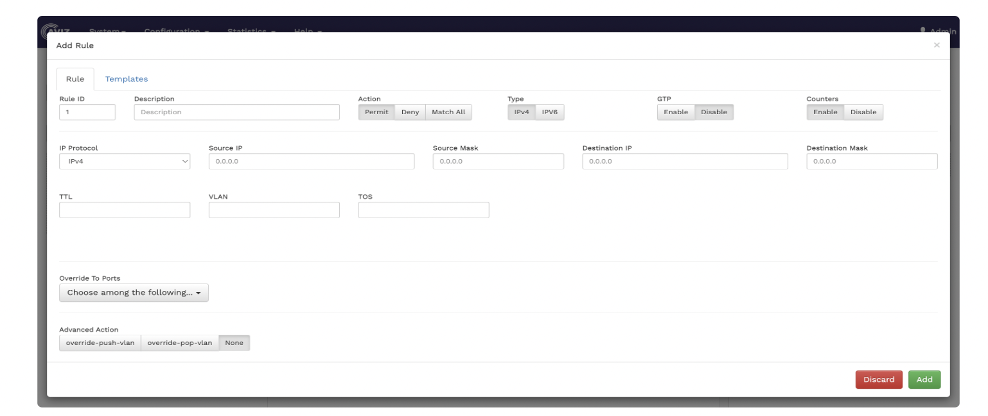
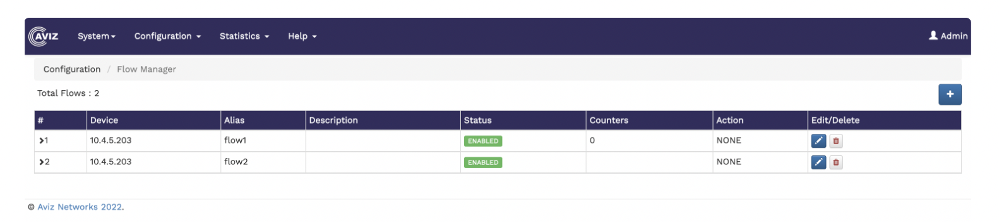
The same rules can also be configured by using the [Aviz FlowVision](https://aviznetworks.gitbook.io/opbnos-r2.6/aviz-flowvision-graphical-user-interface-guide):