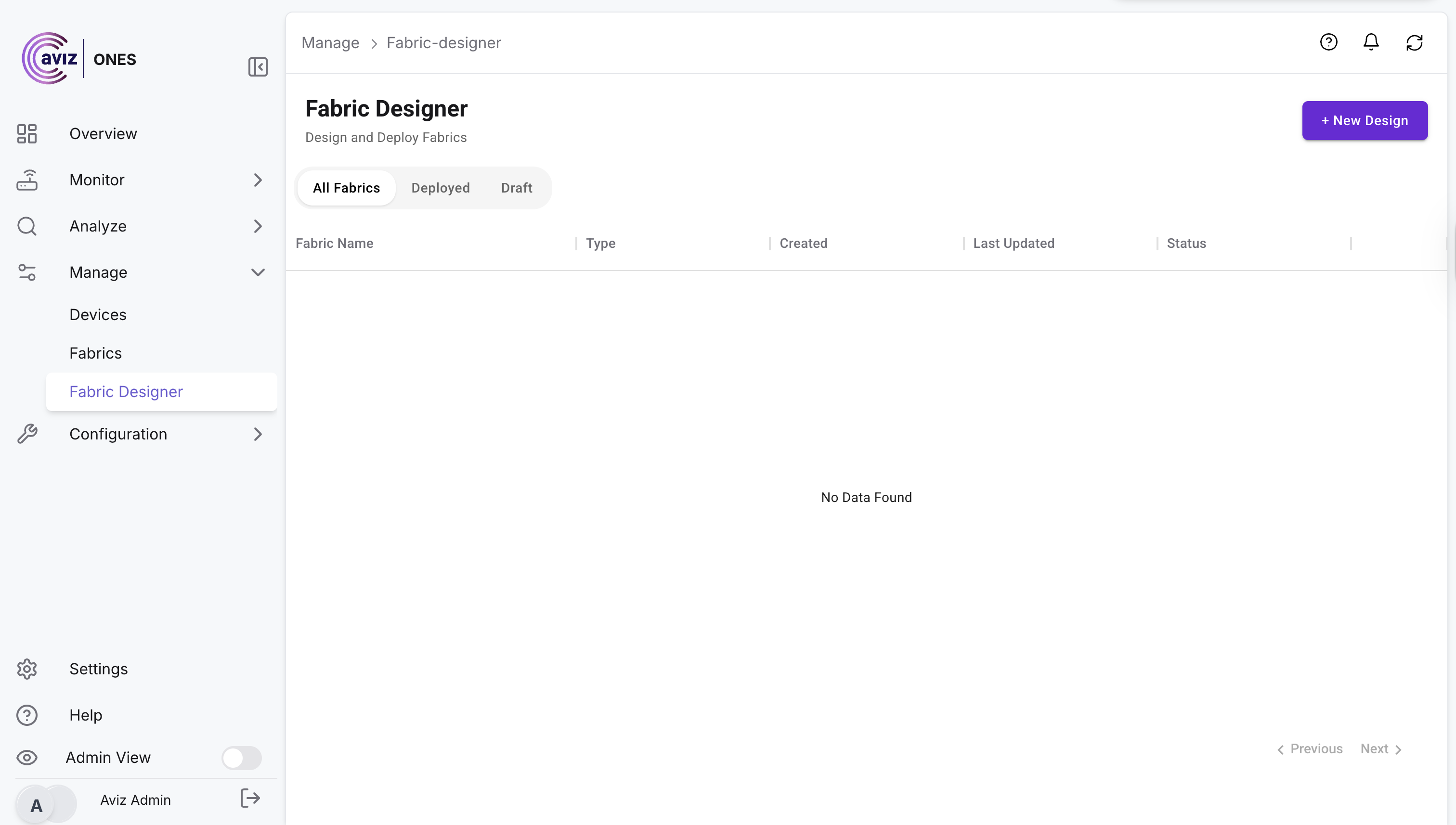
# Fabric Designer

## 🌐 **Fabric Designer**

The **Fabric Designer** empowers users to easily **orchestrate Spectrum-X deployments** with support for both **1SU** and **2SU topologies**, delivering flexibility for different scale requirements.

With ONES, users can effortlessly **design complete GPU networks** powered by **Spectrum-X** 🌐. By providing just a few simple inputs ⌨️, ONES recommends the optimal **switches (spine & leaf) and servers** ⚙️. Users can then deploy these seamlessly, while ONES takes care of **end-to-end orchestration** 🚀 — ensuring a streamlined, reliable, and automated GPU fabric design.

🚀 **Key Capabilities:**

* **Intuitive Orchestration** – Simplifies complex network setups with a guided, user-friendly workflow.
* **Multi-Tenancy Support** – Enables multiple organizations or business units to share infrastructure securely, with clear isolation of resources.
* **Scalable Design** – Built to grow with your infrastructure, ensuring seamless expansion without added complexity.
* **Consistency & Reliability** – Automatically validates configurations to reduce errors and improve deployment confidence.
* **Faster Time-to-Value** – Cuts down deployment cycles, allowing enterprises to get Spectrum-X running in minutes instead of days.

With **Fabric Designer**, administrators can achieve a **future-ready, multi-tenant network fabric** that is both **scalable** and **efficient**, while maintaining the highest standards of performance and reliability.

<figure><img src="https://2376813750-files.gitbook.io/~/files/v0/b/gitbook-x-prod.appspot.com/o/spaces%2Fcd2rizc8cOY7cJKDEOsa%2Fuploads%2FLeI8RbPJDYmb3GuMKHVe%2FScreenshot%202025-08-18%20at%202.09.09%E2%80%AFPM.png?alt=media&#x26;token=c2dda922-3549-442a-adad-24794818b808" alt=""><figcaption></figcaption></figure>

## 🌐 Fabric Orchestration

**Navigate: Manage >> Fabric Designer >> New Design**

1. **Add the details and Continue**

<figure><img src="https://2376813750-files.gitbook.io/~/files/v0/b/gitbook-x-prod.appspot.com/o/spaces%2Fcd2rizc8cOY7cJKDEOsa%2Fuploads%2FU1gsQfZUVJT5mo73PkRP%2FScreenshot%202025-08-18%20at%202.12.02%E2%80%AFPM.png?alt=media&#x26;token=2c645748-b696-4798-927f-c2207ef7b9f0" alt=""><figcaption></figcaption></figure>

2. **Add the inputs:**

* Scalable Unit Config&#x20;
* Apply Hosts (number of host per SUs)
* Subnet to be used for GPU NICs

<figure><img src="https://2376813750-files.gitbook.io/~/files/v0/b/gitbook-x-prod.appspot.com/o/spaces%2Fcd2rizc8cOY7cJKDEOsa%2Fuploads%2F8rf11qPquMwVV1GOXzcD%2FScreenshot%202025-08-18%20at%202.14.13%E2%80%AFPM.png?alt=media&#x26;token=c1eee670-073d-4907-b921-5501a2c31f1b" alt=""><figcaption></figcaption></figure>

3. **As per the inputs, Fabric-designer populate the topology structure**

<figure><img src="https://2376813750-files.gitbook.io/~/files/v0/b/gitbook-x-prod.appspot.com/o/spaces%2Fcd2rizc8cOY7cJKDEOsa%2Fuploads%2FciiOLukKATNRRLeViUXY%2FScreenshot%202025-08-18%20at%202.15.35%E2%80%AFPM.png?alt=media&#x26;token=2b1099cb-6baa-4792-97c8-9eb9f227f70e" alt=""><figcaption></figcaption></figure>

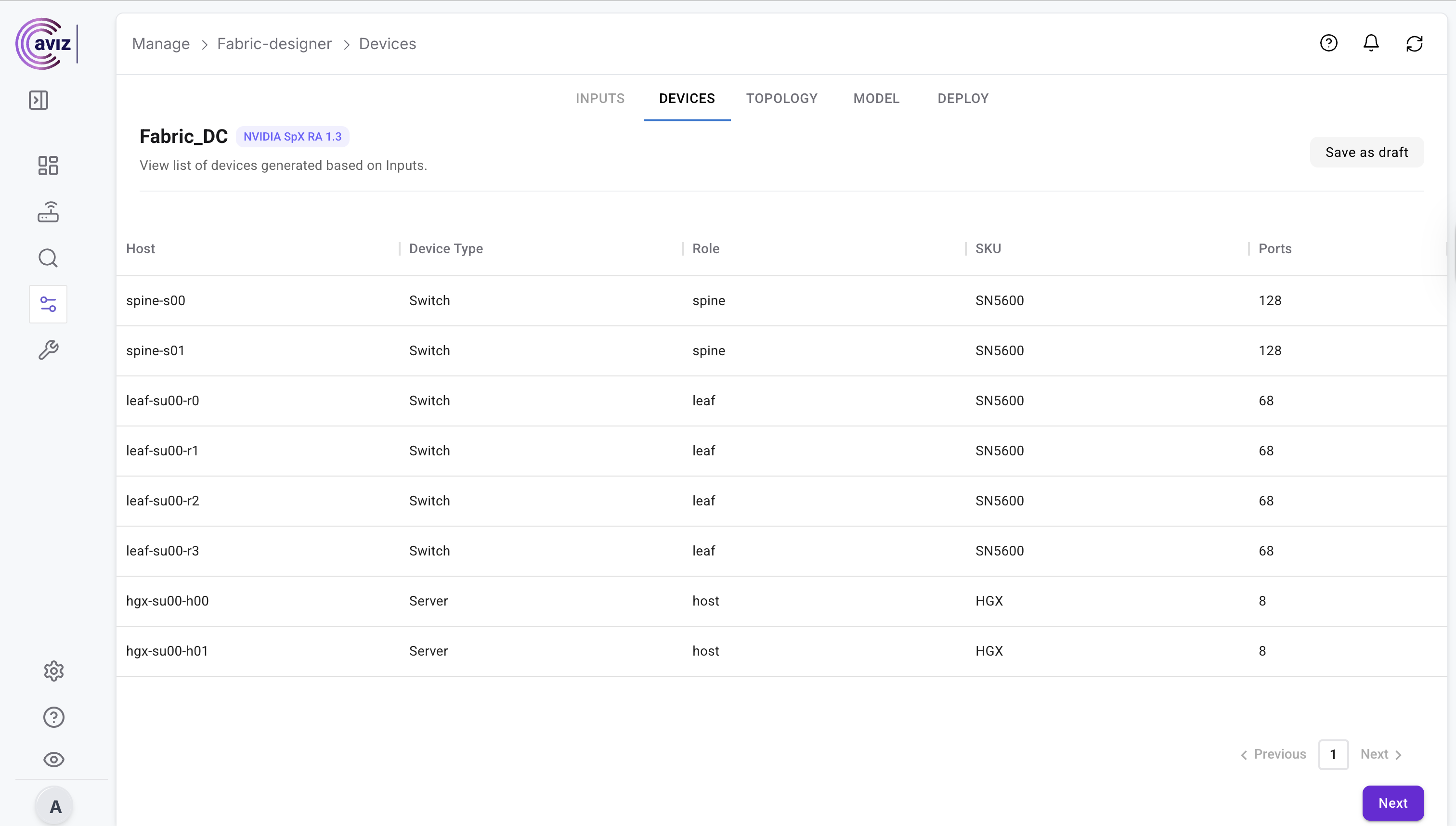
4. **Topology details will be visible**

<figure><img src="https://2376813750-files.gitbook.io/~/files/v0/b/gitbook-x-prod.appspot.com/o/spaces%2Fcd2rizc8cOY7cJKDEOsa%2Fuploads%2FqXYaXlFQV6nP8GLD1QW3%2FScreenshot%202025-08-18%20at%202.16.41%E2%80%AFPM.png?alt=media&#x26;token=d6e8e7d4-4394-4a44-aa23-676e82762625" alt=""><figcaption></figcaption></figure>

<figure><img src="https://2376813750-files.gitbook.io/~/files/v0/b/gitbook-x-prod.appspot.com/o/spaces%2Fcd2rizc8cOY7cJKDEOsa%2Fuploads%2FiM6Jkafbhw4Wo1tiM1f8%2FScreenshot%202025-08-18%20at%202.17.56%E2%80%AFPM.png?alt=media&#x26;token=c24ee1ed-a1aa-46b4-acc4-8b6a6a44ef82" alt=""><figcaption></figcaption></figure>

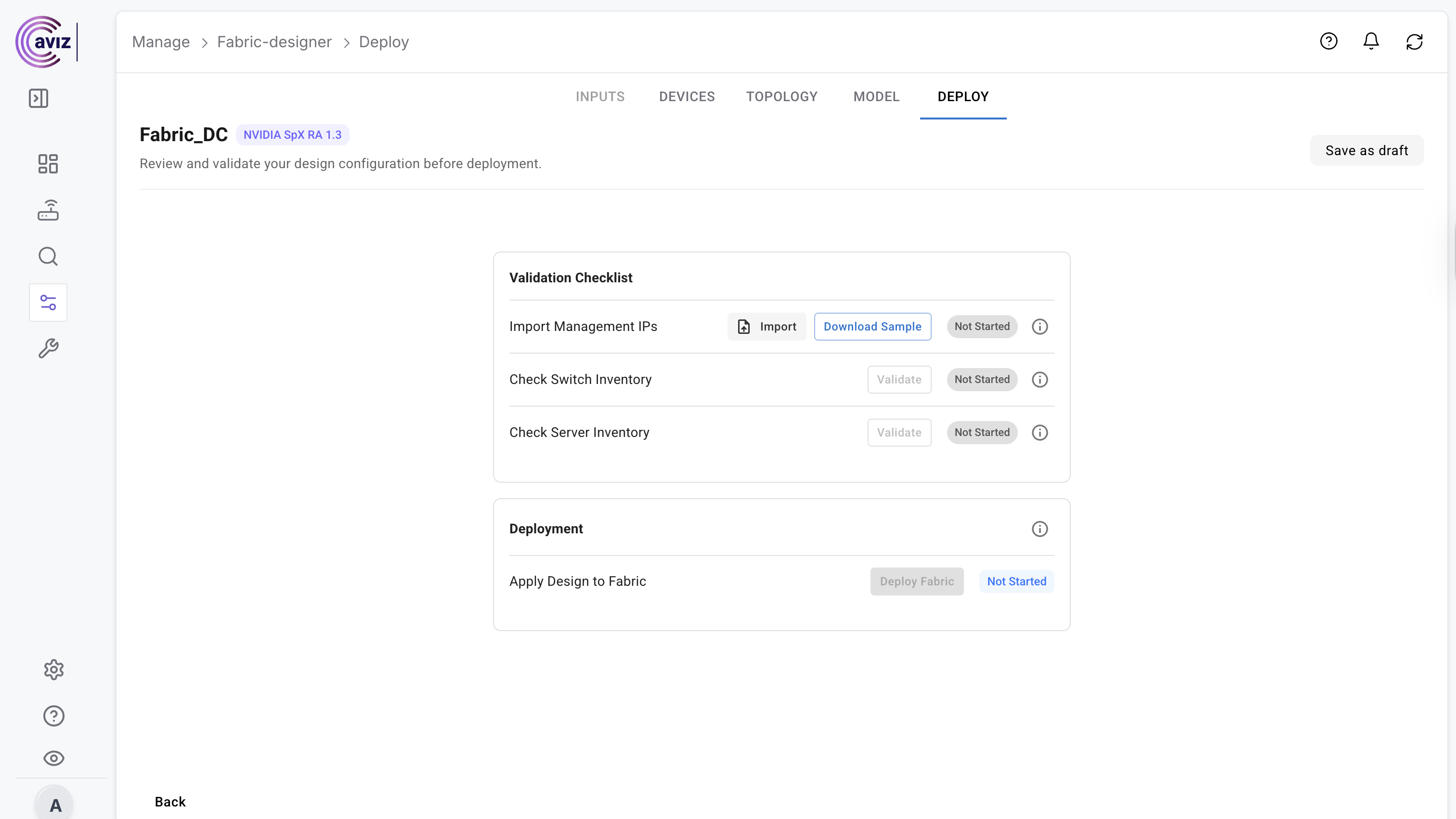
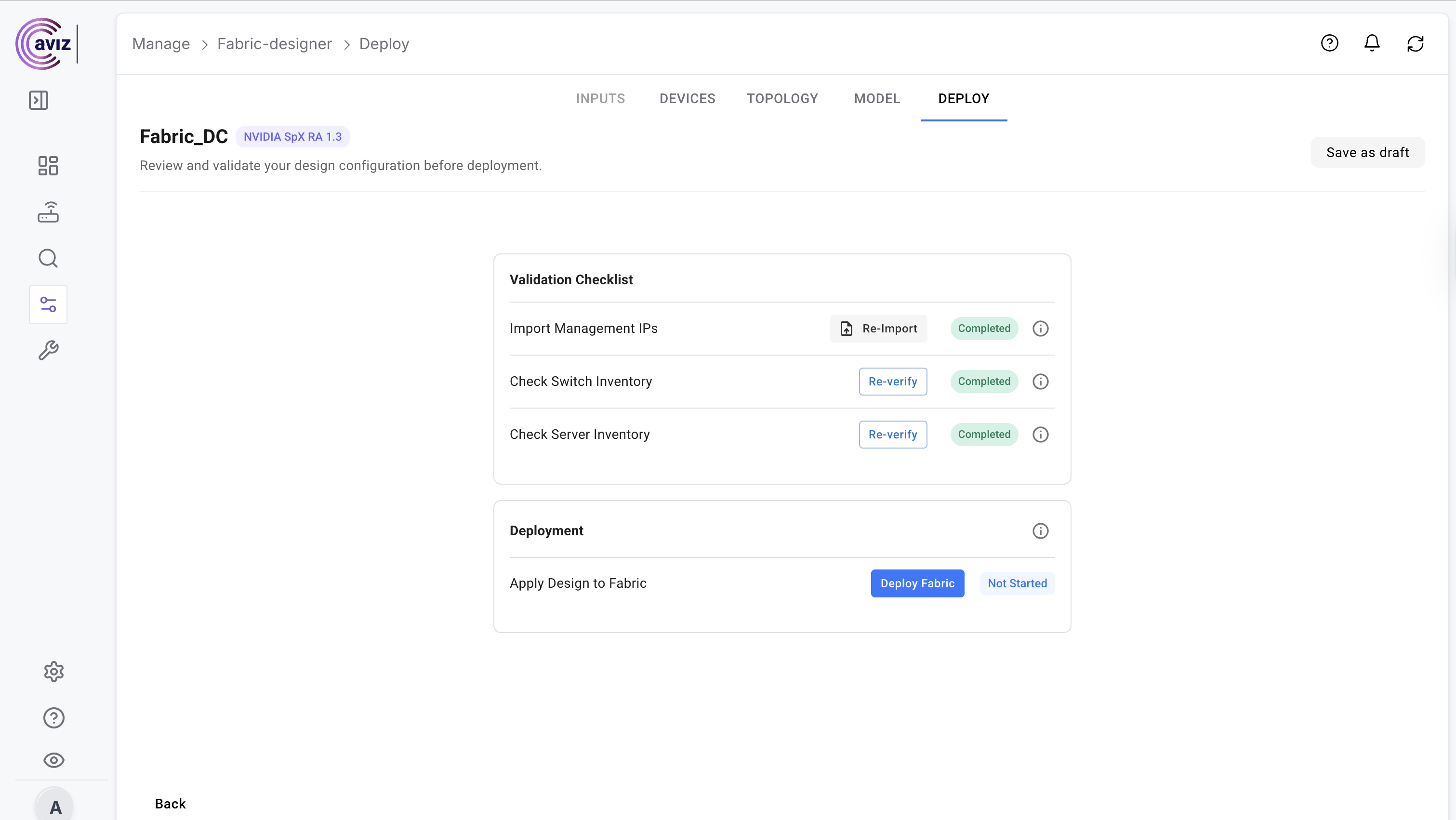
5. **Validation**

* import the inventory with all the devices details and validate the switch and server inventory

<figure><img src="https://2376813750-files.gitbook.io/~/files/v0/b/gitbook-x-prod.appspot.com/o/spaces%2Fcd2rizc8cOY7cJKDEOsa%2Fuploads%2F3q5k0Jzj9UUOYFfsWpV2%2FScreenshot%202025-08-18%20at%202.21.26%E2%80%AFPM.png?alt=media&#x26;token=c7af719e-dff2-4e5e-b5d1-7d5c82d761ed" alt=""><figcaption></figcaption></figure>

6. **Validate the inventory**&#x20;

* Switch inventory
* Server Inventory

{% hint style="info" %}
This will validate the CSV input credentials before deploying the fabric
{% endhint %}

<figure><img src="https://2376813750-files.gitbook.io/~/files/v0/b/gitbook-x-prod.appspot.com/o/spaces%2Fcd2rizc8cOY7cJKDEOsa%2Fuploads%2FmgBgYuZ4szqqKGI1Fffa%2FScreenshot%202025-08-18%20at%202.19.50%E2%80%AFPM.png?alt=media&#x26;token=70930c31-955d-4206-bfa2-4b95bfa0a074" alt=""><figcaption></figcaption></figure>

7. **Deploy the Fabric**

<figure><img src="https://2376813750-files.gitbook.io/~/files/v0/b/gitbook-x-prod.appspot.com/o/spaces%2Fcd2rizc8cOY7cJKDEOsa%2Fuploads%2FryUqHHFdJkHIxEwZkCgp%2FScreenshot%202025-08-18%20at%202.22.29%E2%80%AFPM.png?alt=media&#x26;token=ae2a8a27-1ecc-4d52-9054-6362161486f9" alt=""><figcaption></figcaption></figure>

## 🌐 **Brownfield Support**&#x20;

ONES Fabric Designer goes beyond greenfield deployments by offering **comprehensive brownfield support** 🏗️. With its powerful integration capabilities, ONES seamlessly connects to your **existing infrastructure** 🔌, enabling you to bring legacy environments into the modern fabric architecture.

Not only does it integrate smoothly with your current setup, but it also empowers you to perform **Day-2 operations with ease** ⚙️—ensuring continuous **optimization, scalability, and operational efficiency** 🚀 without disrupting existing services.

With ONES, your brownfield environment becomes a part of a **future-ready, intelligent, and fully orchestrated fabric** 🌟.

## 🌐 NVIDIA AIR Deployment

💡 **Flexibility with NVIDIA AIR**\
NVIDIA AIR 🌐, the **digital twin for Spectrum-X** 🖥️, empowers users to **design, model, and validate complex topologies** 🧩 in a **virtual, scalable, and easy-to-use environment**. By testing and refining your desired fabric architecture before deploying it in production ⚡, AIR ensures **smoother, more reliable, and seamless fabric orchestration** 🚀.

**Navigate: Manage >> Fabric Designer >> New Design**

1. **Add the details and Continue**

<figure><img src="https://2376813750-files.gitbook.io/~/files/v0/b/gitbook-x-prod.appspot.com/o/spaces%2Fcd2rizc8cOY7cJKDEOsa%2Fuploads%2FVw9yIlAOxdK7BrWFALvo%2FScreenshot%202025-08-19%20at%204.29.44%E2%80%AFPM.png?alt=media&#x26;token=5b576763-c17d-466c-9da5-e47c773b377e" alt=""><figcaption></figcaption></figure>

2. **Add the inputs:**
   * Scalable Unit Config&#x20;
   * Apply Hosts (number of host per SUs)
   * Subnet to be used for GPU NICs

<figure><img src="https://2376813750-files.gitbook.io/~/files/v0/b/gitbook-x-prod.appspot.com/o/spaces%2Fcd2rizc8cOY7cJKDEOsa%2Fuploads%2FRkOjbSr4IZrHug3MdtY0%2FScreenshot%202025-08-19%20at%204.32.04%E2%80%AFPM.png?alt=media&#x26;token=5eb52635-82f7-4355-b696-00182a797ce7" alt=""><figcaption></figcaption></figure>

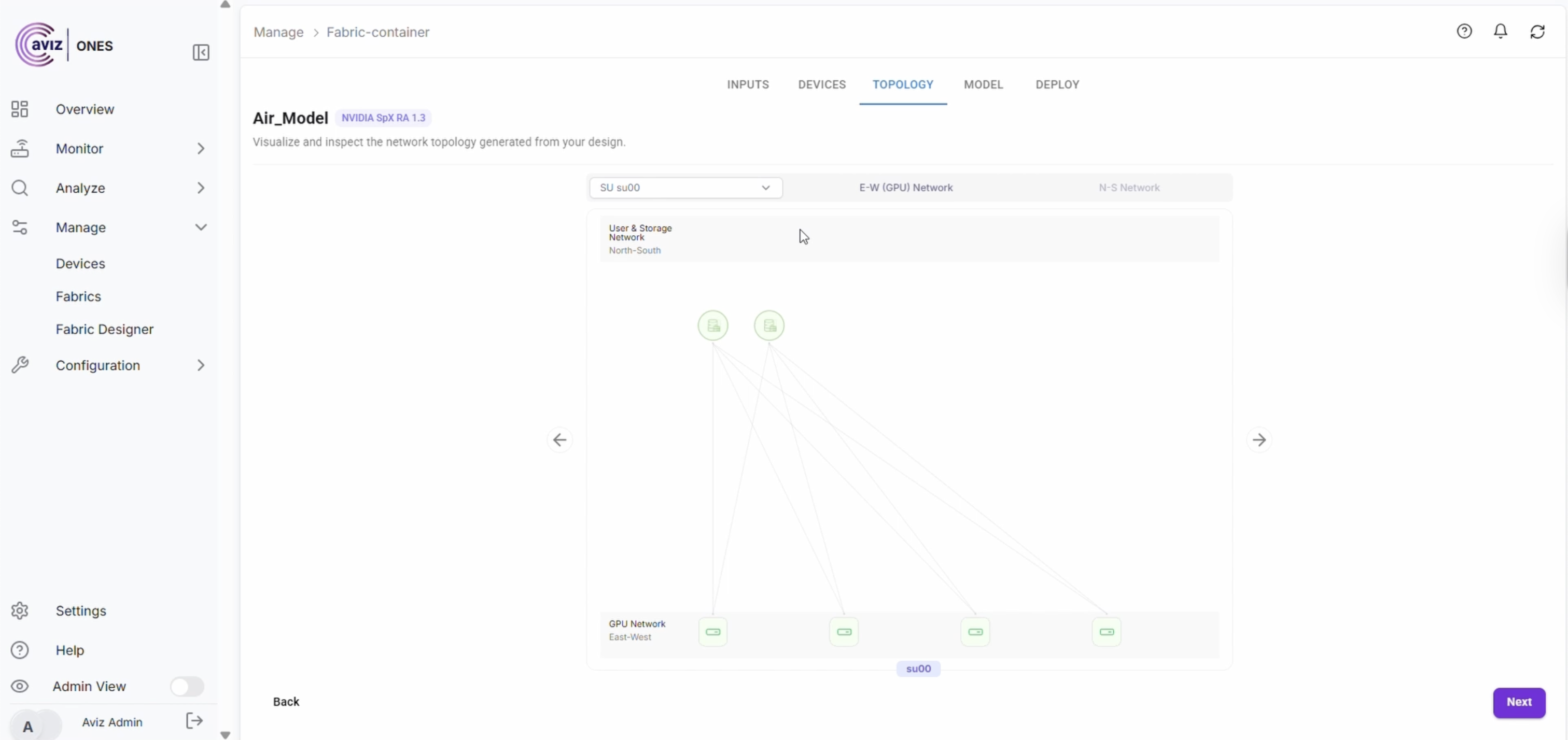
3. **As per the inputs, Fabric-designer auto populate the topology structure**

<figure><img src="https://2376813750-files.gitbook.io/~/files/v0/b/gitbook-x-prod.appspot.com/o/spaces%2Fcd2rizc8cOY7cJKDEOsa%2Fuploads%2FHh5RRKWXwup55CQv6J1t%2FScreenshot%202025-08-19%20at%204.33.22%E2%80%AFPM.png?alt=media&#x26;token=194fb7c7-8ed3-48ff-912f-0225fcad1002" alt=""><figcaption></figcaption></figure>

4. **Topology details will be visible, then proceed to next**

<figure><img src="https://2376813750-files.gitbook.io/~/files/v0/b/gitbook-x-prod.appspot.com/o/spaces%2Fcd2rizc8cOY7cJKDEOsa%2Fuploads%2F2duTwba1fxOBRtweOVTr%2FScreenshot%202025-08-19%20at%204.34.50%E2%80%AFPM.png?alt=media&#x26;token=4f9ea993-9a14-4938-a9de-54246129990d" alt=""><figcaption></figcaption></figure>

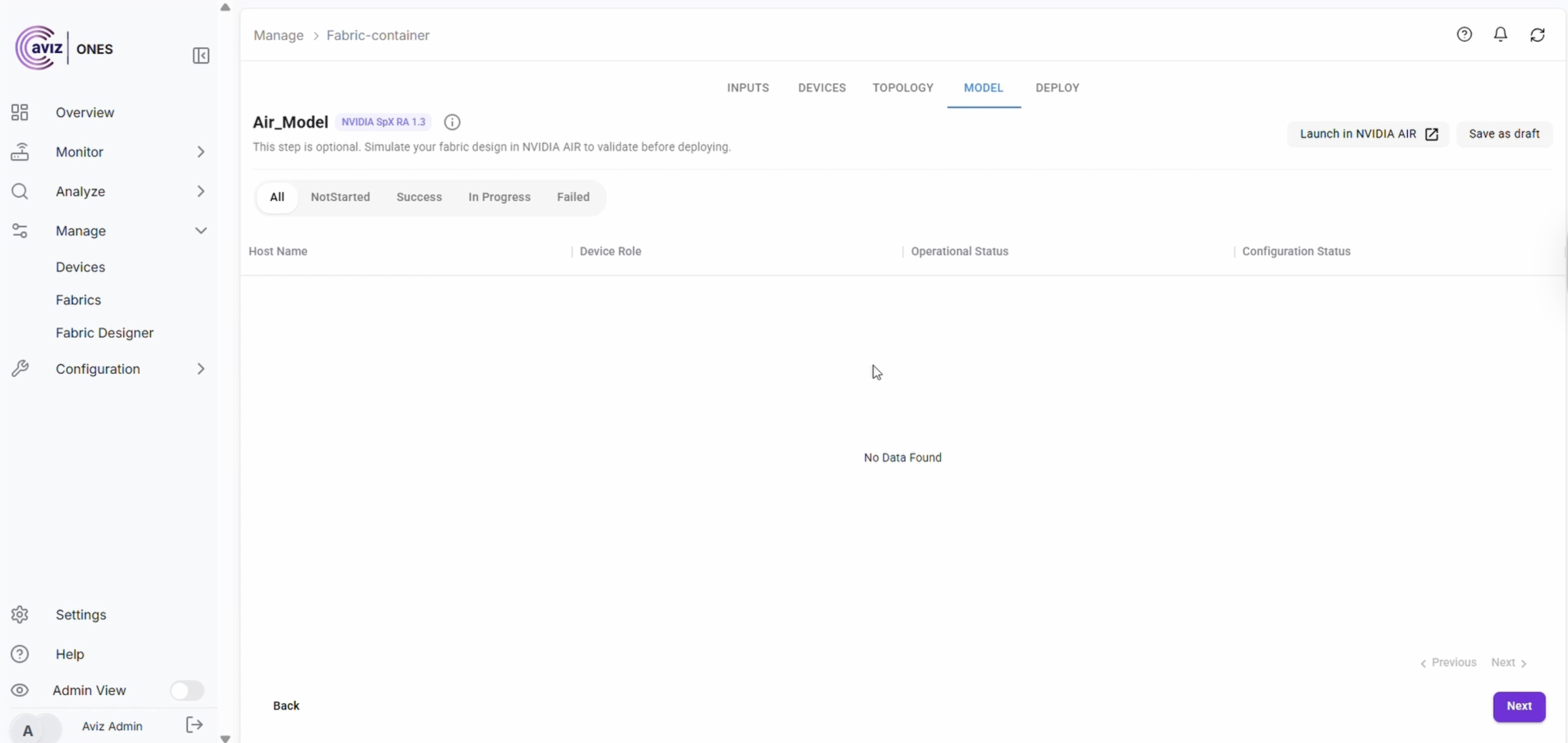
5. **Click Launch in NVIDIA AIR**

<figure><img src="https://2376813750-files.gitbook.io/~/files/v0/b/gitbook-x-prod.appspot.com/o/spaces%2Fcd2rizc8cOY7cJKDEOsa%2Fuploads%2FjVVvL3FFjJiCtkovz995%2FScreenshot%202025-08-19%20at%204.36.14%E2%80%AFPM.png?alt=media&#x26;token=3ddd6f51-62e5-4722-a732-2feaec0080c3" alt=""><figcaption></figcaption></figure>

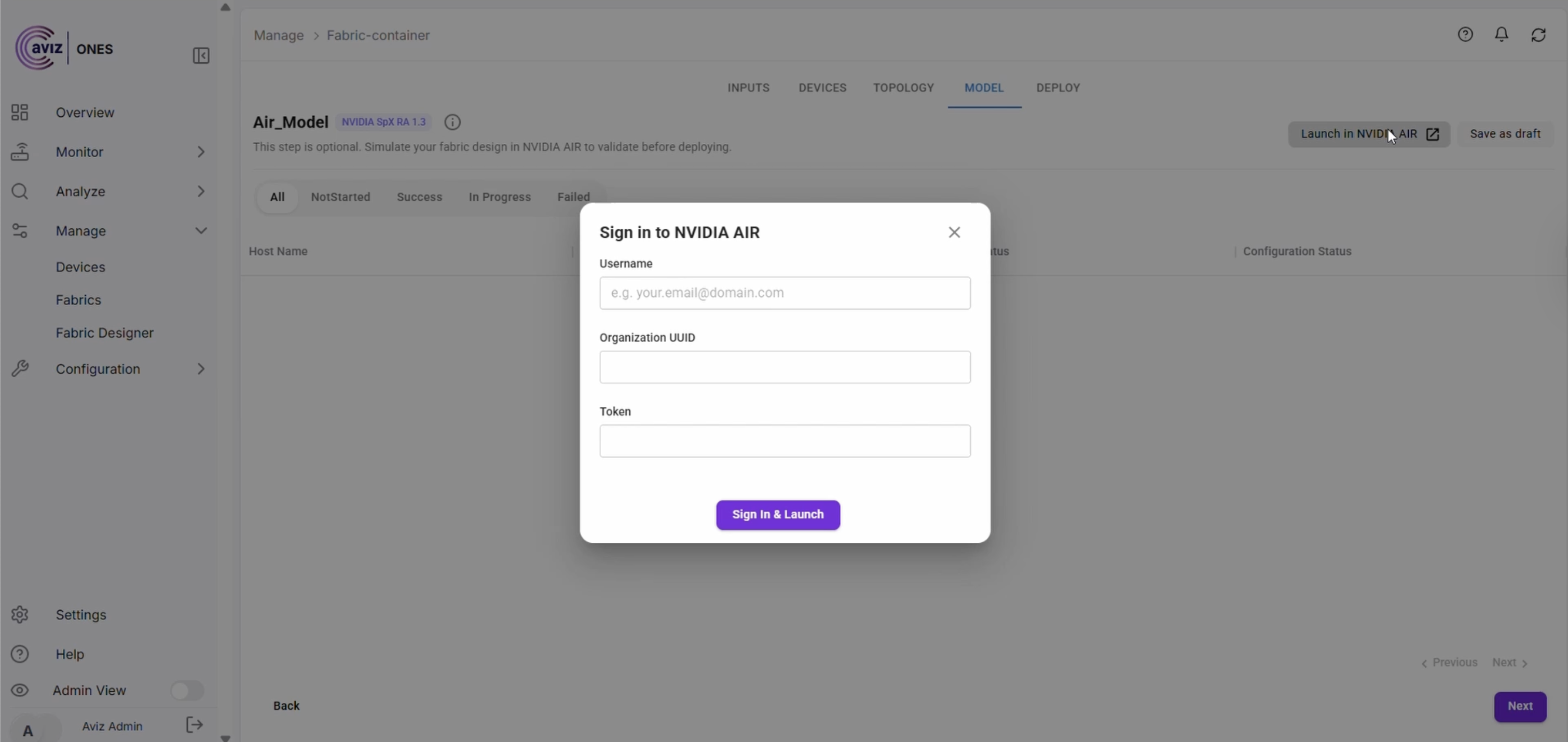
6. **Add the required details and Sign In**

<figure><img src="https://2376813750-files.gitbook.io/~/files/v0/b/gitbook-x-prod.appspot.com/o/spaces%2Fcd2rizc8cOY7cJKDEOsa%2Fuploads%2F2XNmucejdMJ3NM0v8paW%2FScreenshot%202025-08-19%20at%204.37.02%E2%80%AFPM.png?alt=media&#x26;token=a7d16fa8-8a4a-4a33-9c04-dc217996bbd6" alt=""><figcaption></figcaption></figure>

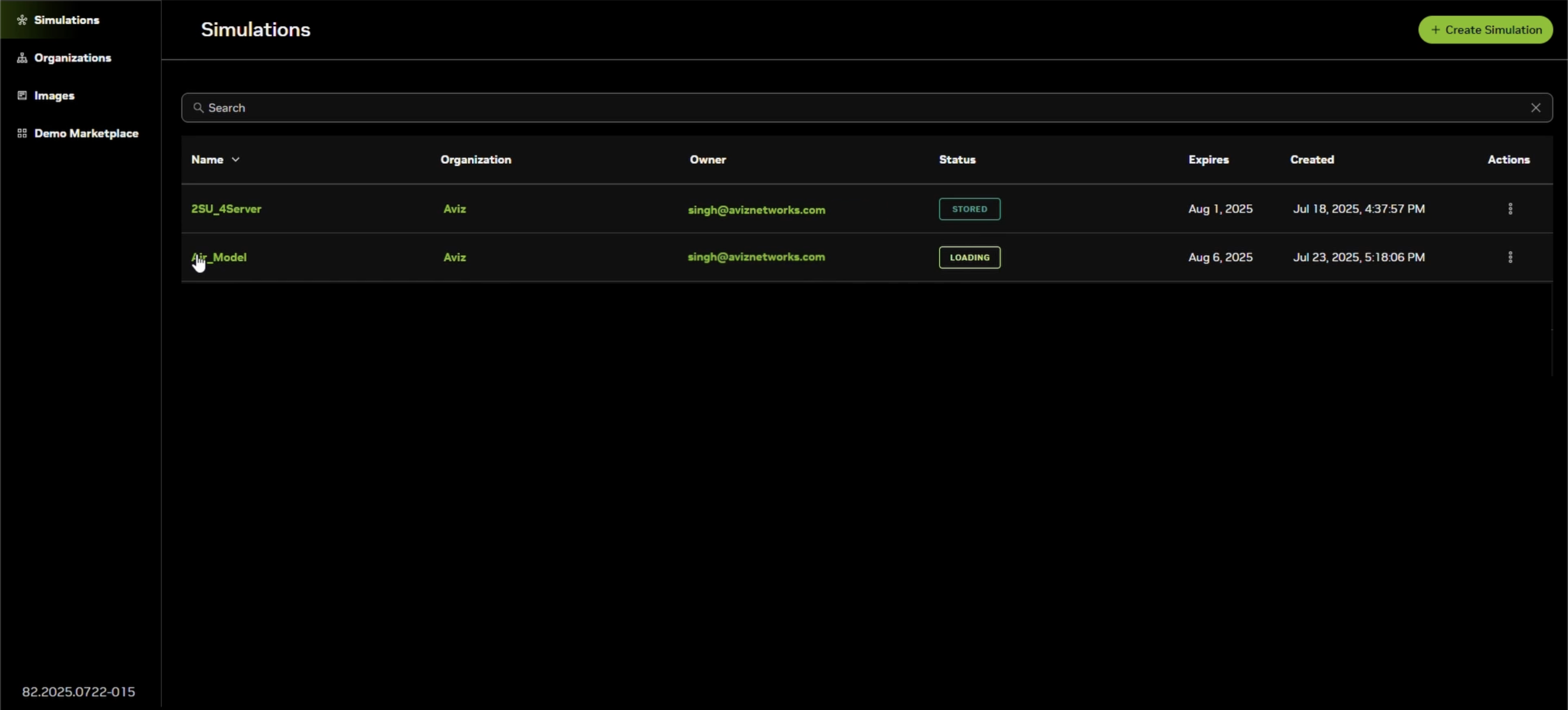
7. Once Sign in it will launch NVIDIA AIR
   1. Select the Simulation

<figure><img src="https://2376813750-files.gitbook.io/~/files/v0/b/gitbook-x-prod.appspot.com/o/spaces%2Fcd2rizc8cOY7cJKDEOsa%2Fuploads%2Ff6CsFUSZ4aUYS0WNOcJD%2Fimage.png?alt=media&#x26;token=1ce194f7-df1e-4a62-a693-7e0a9d62443e" alt=""><figcaption></figcaption></figure>

8. It will show the Topology

<figure><img src="https://2376813750-files.gitbook.io/~/files/v0/b/gitbook-x-prod.appspot.com/o/spaces%2Fcd2rizc8cOY7cJKDEOsa%2Fuploads%2F0Zhds7IWMO7IeWVUyGZt%2FScreenshot%202025-08-19%20at%204.44.36%E2%80%AFPM.png?alt=media&#x26;token=2fc668c9-b6cb-47a6-afe9-58dc86ac7782" alt=""><figcaption></figcaption></figure>

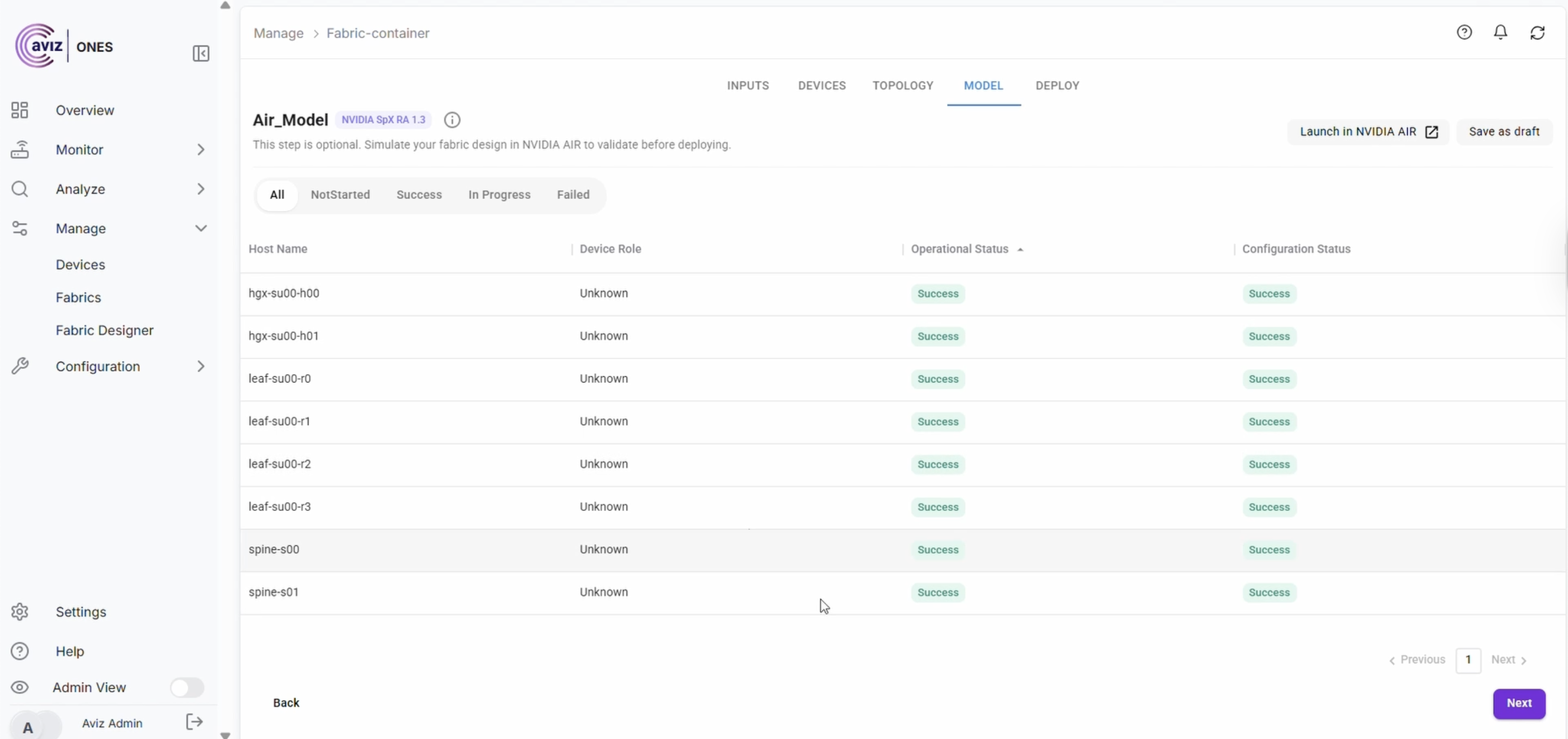
9. User can come back to Model page to check the status

<figure><img src="https://2376813750-files.gitbook.io/~/files/v0/b/gitbook-x-prod.appspot.com/o/spaces%2Fcd2rizc8cOY7cJKDEOsa%2Fuploads%2FqZL1Um6uou23ow74PKDX%2FScreenshot%202025-08-19%20at%204.46.30%E2%80%AFPM.png?alt=media&#x26;token=33abf9c7-0a91-4c25-9ab2-dc03908e2074" alt=""><figcaption></figcaption></figure>

10. ONES will orchestrate the Fabric and will pass the operation and config status
<figure><img src="https://2376813750-files.gitbook.io/~/files/v0/b/gitbook-x-prod.appspot.com/o/spaces%2Fcd2rizc8cOY7cJKDEOsa%2Fuploads%2F2EqnKFB0bjhFvs83Qi0v%2FScreenshot%202025-08-19%20at%204.48.24%E2%80%AFPM.png?alt=media&#x26;token=0c19746d-a654-43d1-a452-8fc27eede4e2" alt=""><figcaption></figcaption></figure>