# Fabric

## 🌐 **Fabric**&#x20;

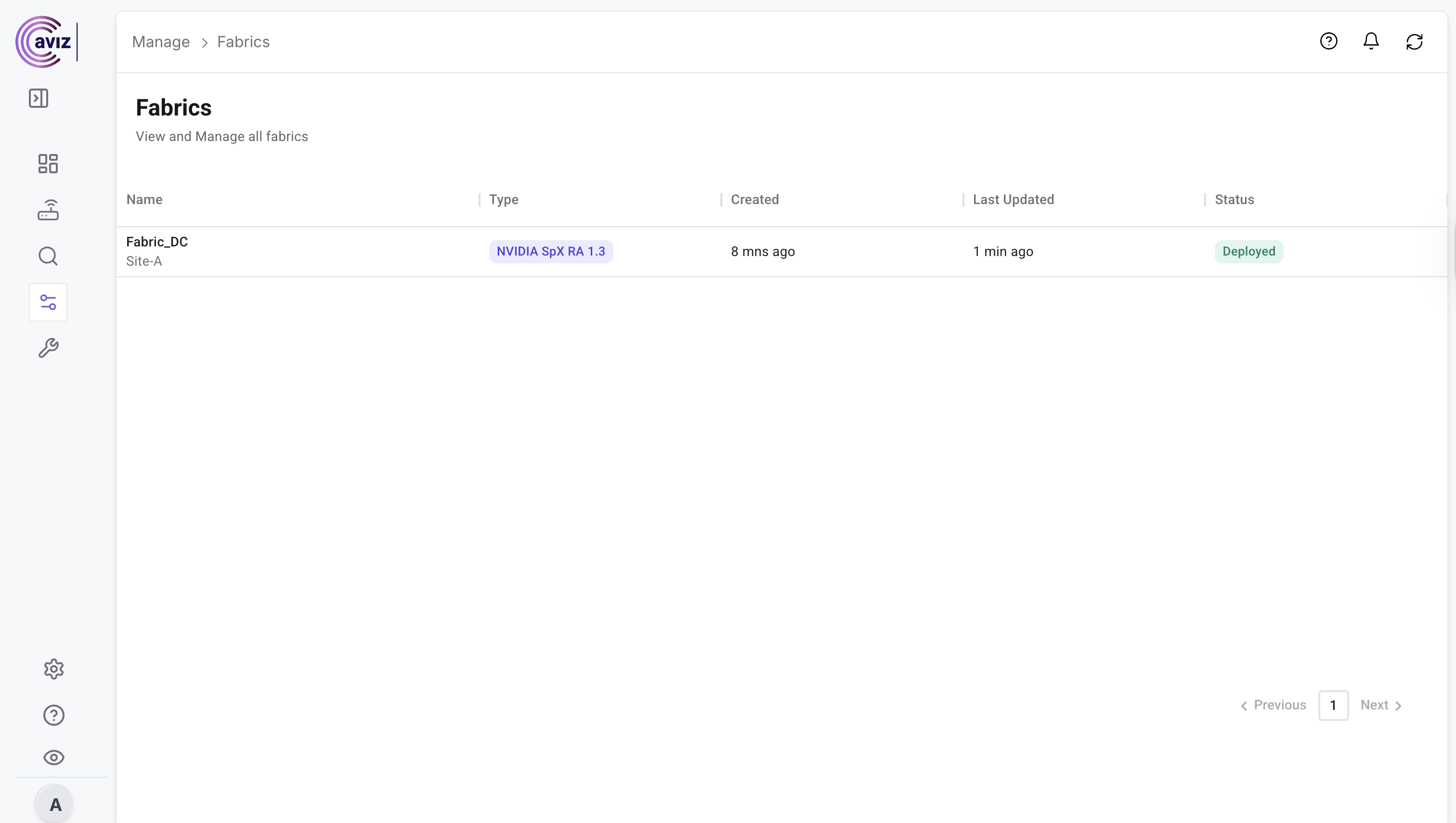
The **Fabric** page allows users to **view and manage multitenancy fabric deployments** created using **ONES**.

🔎 **Key Features:**

* **Fabric Visibility** – Provides a complete overview of all deployed fabrics in the system.
* **Multi-Tenancy Insights** – Displays details of each tenant’s fabric setup, ensuring clear separation and easy management.
* **Deployment Details** – Shows fabric topology, configuration status, and associated resources in one centralized view.
* **Audit & Tracking** – Maintains historical data of deployed fabrics for better monitoring and compliance.
* **Simplified Navigation** – Enables administrators to quickly switch between different fabrics and tenants.

With this page, admins can ensure **full transparency and control** over their **multi-tenant Spectrum-X fabrics**, improving operational efficiency and reducing complexity.

<figure><img src="https://2376813750-files.gitbook.io/~/files/v0/b/gitbook-x-prod.appspot.com/o/spaces%2Fcd2rizc8cOY7cJKDEOsa%2Fuploads%2FiochJ7dxwfL0dBU0pbiU%2FScreenshot%202025-08-18%20at%202.24.09%E2%80%AFPM.png?alt=media&#x26;token=8674ca4e-0335-44d2-90db-a9cc12d5a103" alt=""><figcaption></figcaption></figure>

## Add Tenant

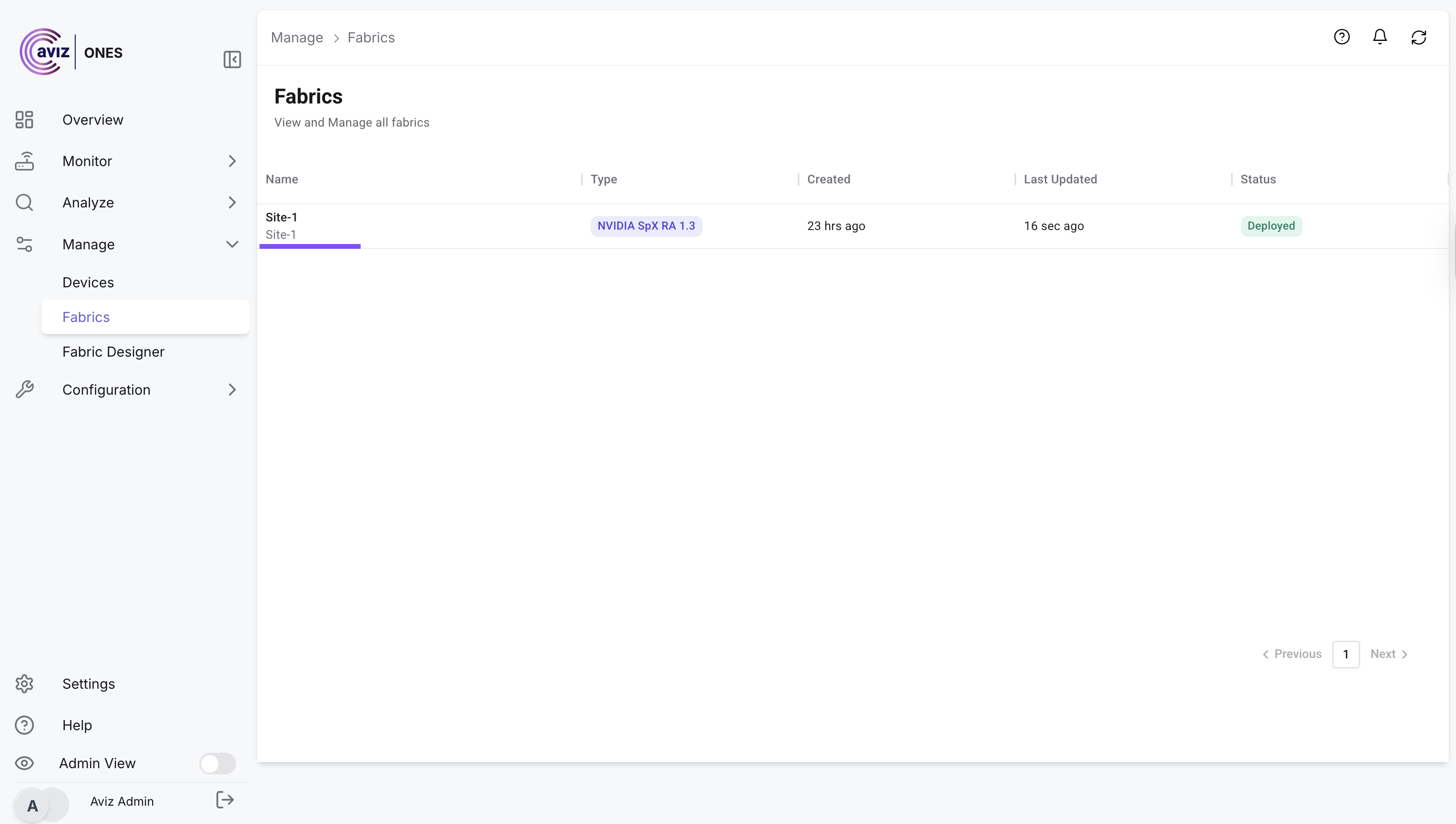
Once the fabric is successfully deployed, users have the option to **add tenants** for network segmentation and multi-tenancy support.

1. Select the Fabric where user needs to add tenant

<figure><img src="https://2376813750-files.gitbook.io/~/files/v0/b/gitbook-x-prod.appspot.com/o/spaces%2Fcd2rizc8cOY7cJKDEOsa%2Fuploads%2FblqznLzVlQmczxKeUjZh%2Fimage.png?alt=media&#x26;token=3016ce1b-3f22-46fa-9057-9fb65d12d925" alt=""><figcaption></figcaption></figure>

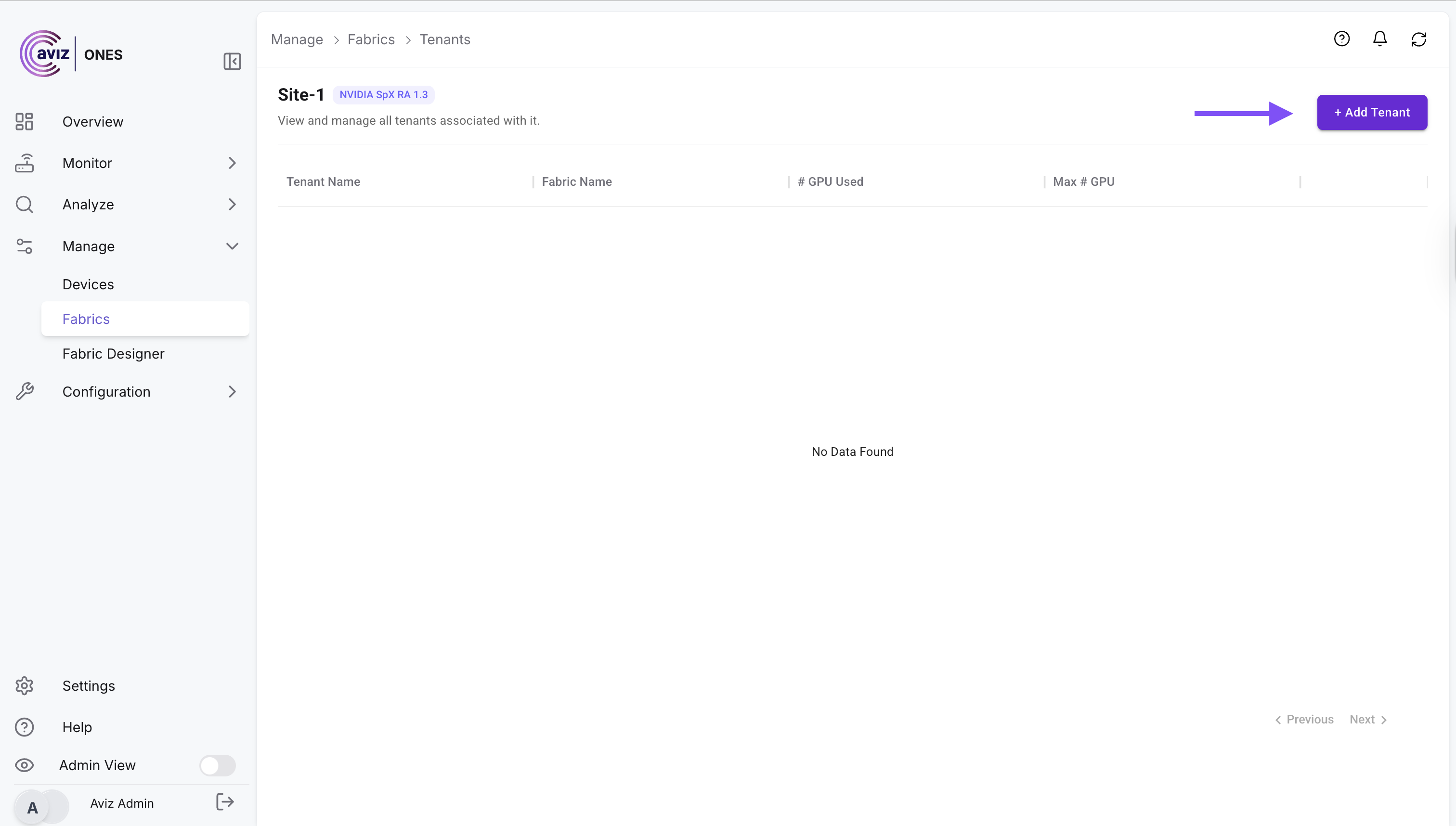
2. Add a new Tenant

<figure><img src="https://2376813750-files.gitbook.io/~/files/v0/b/gitbook-x-prod.appspot.com/o/spaces%2Fcd2rizc8cOY7cJKDEOsa%2Fuploads%2Fg7Yd3kUZ5cccAatychUs%2Fimage.png?alt=media&#x26;token=a976edc3-2788-4e96-a6f8-526201d15e1a" alt=""><figcaption></figcaption></figure>

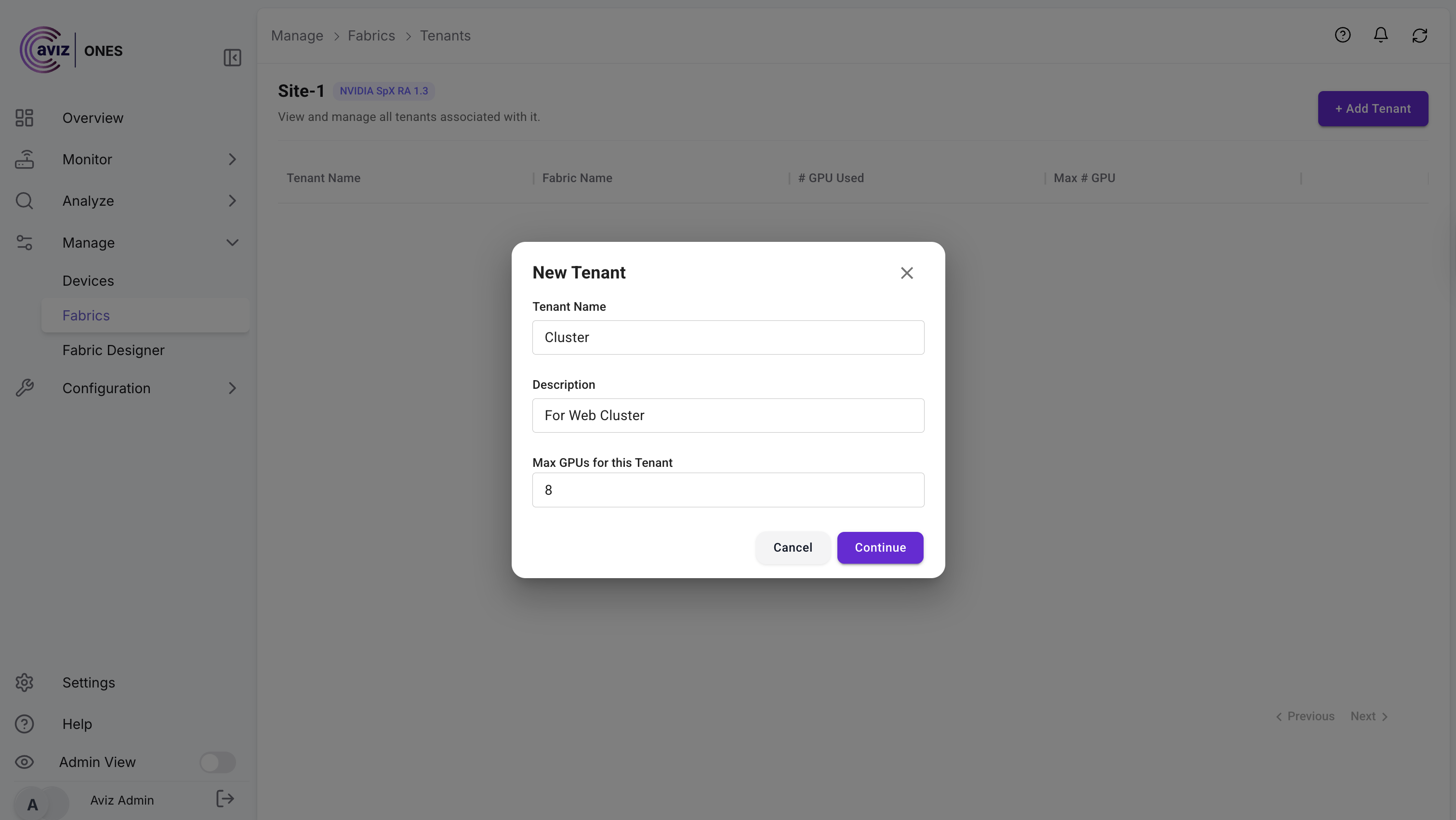
3. Add the details and continue

<figure><img src="https://2376813750-files.gitbook.io/~/files/v0/b/gitbook-x-prod.appspot.com/o/spaces%2Fcd2rizc8cOY7cJKDEOsa%2Fuploads%2FJ4xiz3pM93ENoQgUgQuB%2FScreenshot%202025-08-19%20at%202.48.06%E2%80%AFPM.png?alt=media&#x26;token=ec957094-3181-4db3-a648-53722e3c3698" alt=""><figcaption></figcaption></figure>

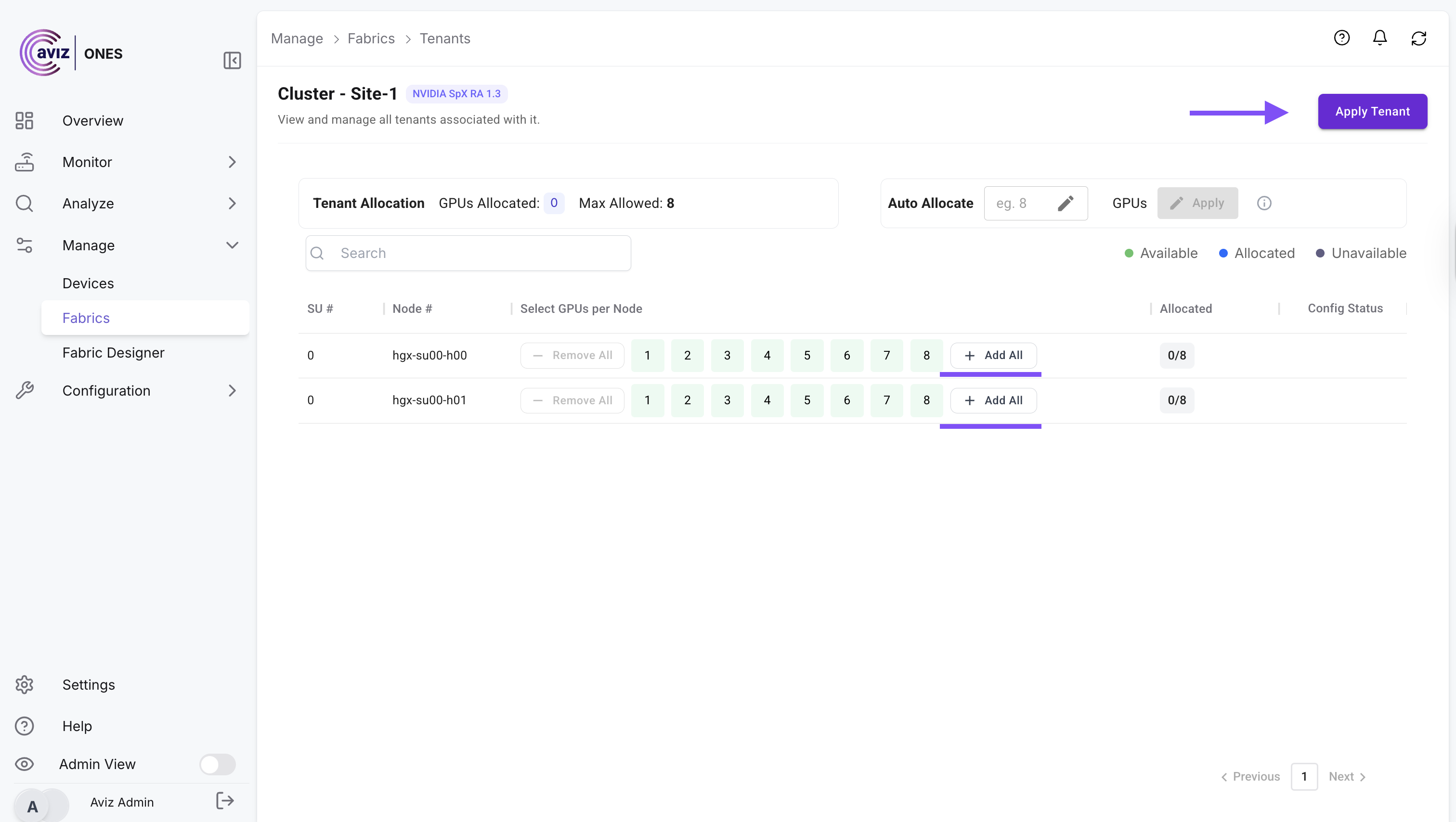
4. Once applied, Add all GPUs and apply the Tenant config

<figure><img src="https://2376813750-files.gitbook.io/~/files/v0/b/gitbook-x-prod.appspot.com/o/spaces%2Fcd2rizc8cOY7cJKDEOsa%2Fuploads%2FioEl5bCdRQ2mLLkv0xwz%2Fimage.png?alt=media&#x26;token=a88eeb49-a5c4-4a84-ab37-b0e583469ea9" alt=""><figcaption></figcaption></figure>

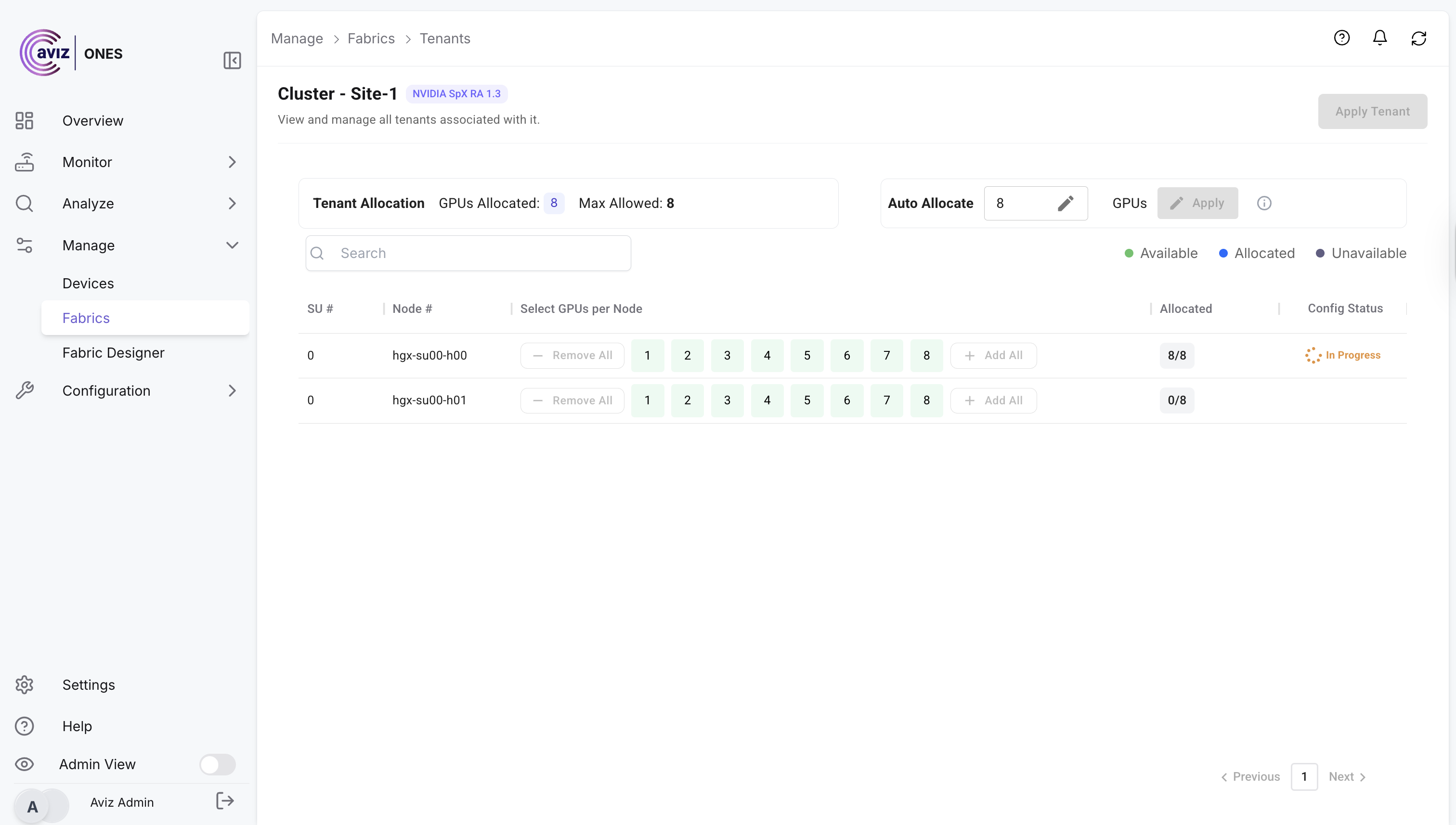
Finally process will start and tenant will be added

<figure><img src="https://2376813750-files.gitbook.io/~/files/v0/b/gitbook-x-prod.appspot.com/o/spaces%2Fcd2rizc8cOY7cJKDEOsa%2Fuploads%2FpkYUVGT2jC35rCTOV1x1%2FScreenshot%202025-08-19%20at%202.53.07%E2%80%AFPM.png?alt=media&#x26;token=a16e1574-aab3-486d-bd52-aaa7d3616881" alt=""><figcaption></figcaption></figure>

✨ With this approach, multiple tenants can be managed seamlessly within the same fabric while maintaining complete isolation and policy enforcement.