Loading...
Loading...
Loading...
Loading...
Loading...
Loading...
Loading...
Loading...
Loading...
Loading...
Loading...
Loading...
Loading...
Loading...
Loading...
Loading...
Loading...
Loading...
Loading...
Loading...
Loading...
Loading...
Loading...
Loading...
Loading...
Loading...
Loading...
Loading...
Loading...
Loading...
Loading...
Loading...
Loading...
Loading...
Loading...
Loading...
Loading...
Loading...
Loading...
Loading...
Loading...
Loading...
Loading...
Loading...
Loading...
Loading...
Loading...
Loading...
Loading...
Loading...
Loading...
Loading...
ip,user,passwd
10.4.4.75,admin,YourPaSsWoRd
10.4.4.76,admin,YourPaSsWoRd
10.4.4.77,admin,YourPaSsWoRd
...
...
...ip,user,passwd
10.4.4.75,admin,YourPaSsWoRd
10.4.4.76,admin,YourPaSsWoRd
10.4.4.77,admin,YourPaSsWoRd
...
...
...###########Connecting to Switch############
###########Connecting to Switch############
###########Connecting to Switch############
###########Connecting to Switch############
Connection to switch 10.4.4.75 successful…………
Installing agent on 10.4.4.75………………………..
Installation of agent on 10.4.4.75 successful………………….
Connection to switch 10.4.4.76 successful…………
Installing agent on 10.4.4.76………………………..
Installation of agent on 10.4.4.76 successful………………….
...
...
...FMCLI: System Initialization in progress......
fmcli# ###########Connecting to Switch############
###########Connecting to Switch############
###########Connecting to Switch############
###########Connecting to Switch############
Connection to switch 10.4.4.75 successful…………
Looking for previous installation………………………
Removing Agents currently installed………………….
Connection to switch 10.4.4.76 successful…………
Looking for previous installation………………………..
ones-agent is not in the device 10.4.4.76 for uninstallation….
...
...
...###########Connecting to Switch############
###########Connecting to Switch############
###########Connecting to Switch############
###########Connecting to Switch############
Connection to switch 10.4.4.75 successful…………
Installing agent on 10.4.4.75………………………..
Installation of agent on 10.4.4.75 successful………………….
Connection to switch 10.4.4.76 successful…………
Installing agent on 10.4.4.76………………………..
Installation of agent on 10.4.4.76 successful………………….
...
...
...This section explains how large data centers can be designed seamlessly using ONES.
Installing Open Networking Enterprise Suite (ONES)
..................................................
ONES is getting installed for the first time, choose appropriate options when prompted...
....................
Installing prerequisites for ONES application
....................
....................
....................
....................
Installing ONES application...
Using random password for DBs
Do you want to install domain SSL certificate(if not, installation will proceed with a self signed certificate)? [y/n]: n
Using self signed certificates...
Local backup:
Do you want to enable DB backups? [y/n]y
Where do you want to store the backups? [local/remote]: local #local keyword trigger local database on server
Enter the backup directory: ./backups #Enter the server directory in which user wants to take backup
Enter the number of backups (between 1 and 3) to retain (Older backups will be deleted): 1 #Enter the number of backup user wants to create
Enter the backup interval in seconds (3600 seconds or higher): 86400 #Enter the value in seconds to take a backup Remote backup:
Do you want to enable DB backup feature? [y/n]: y
Where do you want to store the backups? [local/remote]: remote #remote keyword trigger remote database on server
Please make sure the remote server is reachable via SSH
Enter the remote machine IP: 10.0.0.1
Enter the remote machine username: admin
Enter the remote machine password:
Enter the backup directory: ~/backups #Enter the remote server directory in which user wants to take backup
Backup is being done in 10.0.0.1 at ~/backups
Enter the number of backups (between 1 and 100) to retain (Older backups will be deleted): 5 #Enter the number of backup user wants to create
Enter the backup interval in seconds (3600 seconds or higher): 86400 #Enter the value in seconds to take a backup Installing Open Networking Enterprise Suite (ONES)
..................................................
ONES is getting installed for the first time, choose appropriate options when prompted...
....................
Installing prerequisites for ONES application
....................
....................
....................
....................
Installing ONES application...
Using random password for DBs
VHVlIDA0IEFwciAyMDIzIDA2OjEwOjI3IEFNIFVUQwo=
Do you want to install domain SSL certificate(if not, installation will proceed with a self signed certificate)? [y/n]: n
Using self signed certificates...
Do you want to enable DB backup feature? [y/n]: y
Where do you want to store the backups? [local/remote]: local
Enter the backup directory: ./backups
Enter the number of backups(between 1 and 3) to retain (Older backups will be deleted): 1
Enter the backup interval in seconds(3600 seconds or higher) : 86400
Setting up the environment and loading essential dockers...
92a4e8a3140f: Loading layer [==================================================>] 83.87MB/83.87MB
eafe6e032dbd: Loading layer [==================================================>] 5.177MB/5.177MB
e3abdc2e9252: Loading layer [==================================================>] 3.584kB/3.584kB
...
...
...
Name Command State Ports
------------------------------------------------------------------------------------------------------------------------------------
docker python3 app.py Up
ones-collector java -jar /app/collector.jar Up 8093/tcp
ones-collector-db /docker-entrypoint.sh postgres Up 0.0.0.0:5432->5432/tcp,:::5432->5432/tcp, 8008/tcp, 8081/tcp
ones-db-backup python3 app.py Up
ones-fm java -jar /app/ones-fm.jar Up 0.0.0.0:8787->8080/tcp,:::8787->8080/tcp
ones-fm-db docker-entrypoint.sh postgres Up 0.0.0.0:2345->5432/tcp,:::2345->5432/tcp
ones-gateway ./gnmi-gateway -TargetLoad ... Up 0.0.0.0:9339->9339/tcp,:::9339->9339/tcp
ones-ui docker-entrypoint.sh node ... Up 3002/tcp, 0.0.0.0:443->443/tcp,:::443->443/tcp,
0.0.0.0:8885->8885/tcp,:::8885->8885/tcp
Finishing up ONES Installation...
Installed ONES application successfully...
Open the ONES application at https://<host-ip>inventory:
- switchName: "SN2100-Spine"
layer: "Spine"
ipAddress: "10.4.4.61"
region: "SJC"
azId: 1
brickId: 1
rackId: null
user: "admin"
password: "YourPaSsWoRd"
- switchName: "SN2100-Leaf3"
layer: "Leaf"
ipAddress: "10.4.4.62"
region: "SJC"
azId: 1
brickId: 1
rackId: null
user: "admin"
password: "YourPaSsWoRd"
Inventory:
SSpines: 0
Spines: 2
Leafs: 4
Tors: 0
Connectivity:
SSpine: []
Spine:
- switchId: 1
switchName: Spine-1
ipAddress: 190.10.10.11
ASN: 2001
Credentials:
user: admin
password: YourPaSsWoRd
mclag:
Links:
- link: S1_Ethernet0 | L1_Ethernet48
staticLink: True
properties:
- link: S1_Ethernet4 | L2_Ethernet48
staticLink: True
properties:
- link: S1_Ethernet8 | L3_Ethernet48
staticLink: True
properties:
- link: S1_Ethernet12 | L4_Ethernet48
staticLink: True
properties:
- switchId: 2
switchName: Spine-2
ipAddress: 190.10.10.12
ASN: 2002
Credentials:
user: admin
password: YourPaSsWoRd
mclag:
Links:
- link: S2_Ethernet0 | L1_Ethernet52
staticLink: True
properties:
- link: S2_Ethernet4 | L2_Ethernet52
staticLink: True
properties:
- link: S2_Ethernet8 | L3_Ethernet52
staticLink: True
properties:
- link: S2_Ethernet12 | L4_Ethernet52
staticLink: True
properties:
Leaf:
- switchId: 1
switchName: Leaf1
ipAddress: 190.10.10.13
ASN: 1001
Credentials:
user: admin
password: YourPaSsWoRd
mclag:
enabled: True
peer: L2
keepalive_vlan: 10
Links:
- link: L1_Ethernet48 | S1_Ethernet0
staticLink: True
properties:
- link: L1_Ethernet52 | S2_Ethernet0
staticLink: True
properties:
- link: L1_Ethernet56 | L2_Ethernet56
staticLink: True
properties:
- link: L1_Ethernet0 | H1_Ethernet0
staticLink: True
properties:
mode: L2-Access
vlan: 200
mc_po_group: 200
- switchId: 2
switchName: Leaf-2
ipAddress: 190.10.10.14
ASN: 1002
Credentials:
user: admin
password: YourPaSsWoRd
mclag:
enabled: True
peer: L1
keepalive_vlan: 10
Links:
- link: L2_Ethernet48 | S1_Ethernet4
staticLink: True
properties:
- link: L2_Ethernet52 | S2_Ethernet4
staticLink: True
properties:
- link: L2_Ethernet56 | L1_Ethernet56
staticLink: True
properties:
- link: L2_Ethernet0 | H1_Ethernet1
staticLink: True
properties:
mode: L2-Access
vlan: 200
mc_po_group: 200
- switchId: 3
switchName: Leaf-3
ipAddress: 190.10.10.15
ASN: 1003
Credentials:
user: admin
password: YourPaSsWoRd
mclag:
enabled: True
peer: L4
keepalive_vlan: 10
Links:
- link: L3_Ethernet48 | S1_Ethernet8
staticLink: True
properties:
- link: L3_Ethernet52 | S2_Ethernet8
staticLink: True
properties:
- link: L3_Ethernet56 | L4_Ethernet56
staticLink: True
properties:
- link: L3_Ethernet0 | H2_Ethernet0
staticLink: True
properties:
mode: L2-Access
vlan: 200
mc_po_group: 200
- switchId: 4
switchName: Leaf-4
ipAddress: 190.10.10.16
ASN: 1004
Credentials:
user: admin
password: YourPaSsWoRd
mclag:
enabled: True
peer: L3
keepalive_vlan: 10
Links:
- link: L4_Ethernet48 | S1_Ethernet12
staticLink: True
properties:
- link: L4_Ethernet52 | S2_Ethernet12
staticLink: True
properties:
- link: L4_Ethernet56 | L3_Ethernet56
staticLink: True
properties:
- link: L4_Ethernet0 | H2_Ethernet1
staticLink: True
properties:
mode: L2-Access
vlan: 200
mc_po_group: 200
Tor: []
BGP:
BGP_U: False
ND_RA: 30
PhysicalIfCfg:
FEC: Off
MTU: 9000
AdminStatus: Up
ASN:
SSpine: 10000-20000
Spine: 21000-50000
Leaf: 51000-60000
Tor: 61000-70000
IPv4Pool:
Loopback: 10.10.10.0/24
LeafSpine: 40.0.0.0/24
LeafTor: 39.0.0.0/24
Host: 49.0.0.0/24
IPv6Pool:
LeafSpine:
LeafTor:
Host:
NTP:
server: 128.138.141.172
timezone: Asia/Kolkata
SYSLOG:
server: 128.138.141.172
SNMP:
trapserver: 128.138.141.172
Parameters:
vlan: 200-205
anycast_gateway: 100.10.0.0/23
hosts_per_vlan: 10sudo virsh list
Id Name State
----------------------------------
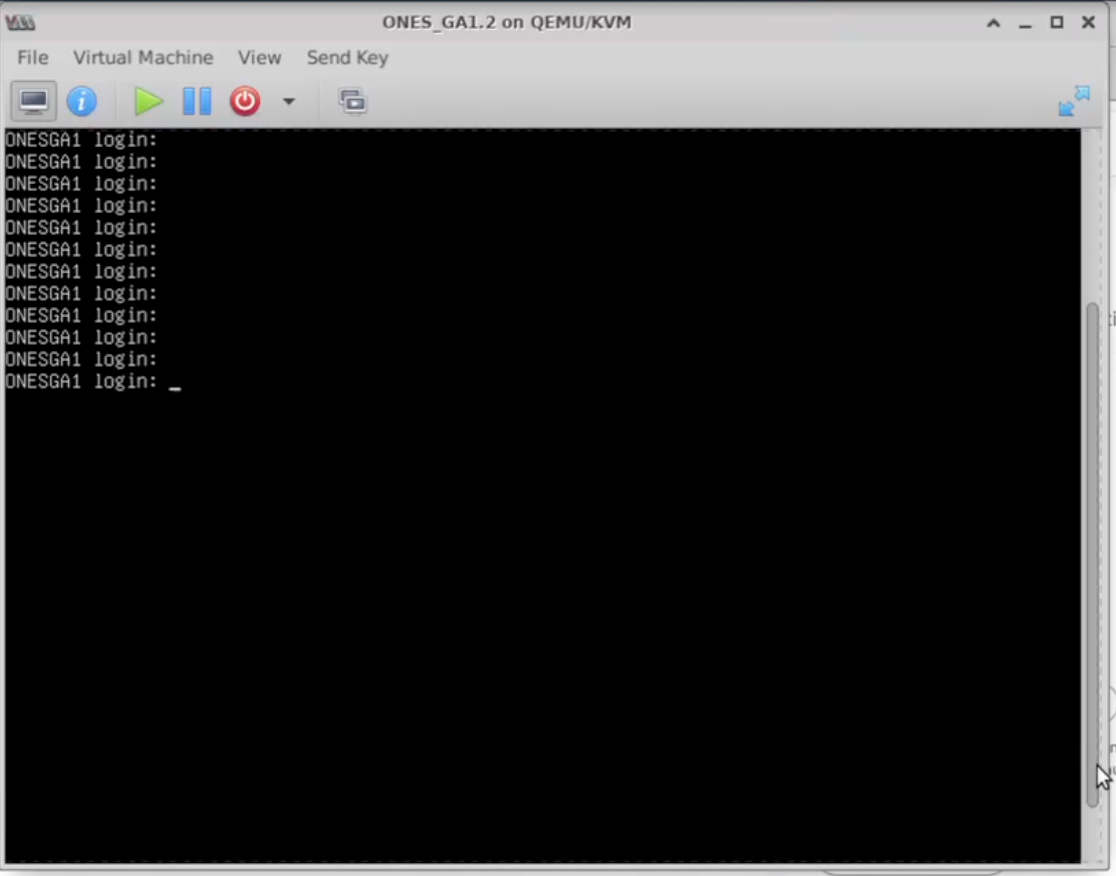
1 ONES_GA1.2 runningsudo virsh console ONES_GA1.2
Connected to domain ONES_GA1.2
Escape character is ^]Username: ONES
Password: Admin@123Username: ones
Password: Admin@123The device should not have any IP, VLAN, Portchannel, BGP, SAG, or MCLAG config on any of the Interfaces to avoid overlapping during the orchestration and run into cleanup issues.
Post that, the user needs to save the config to a file, in case of any orchestration failure, or misconfiguration user can rollback to the saved config.









10.4.4.75, admin, YourPaSsWoRd
10.4.4.76, admin, YourPaSsWoRd
10.4.4.77, admin, YourPaSsWoRd
...
...
...10.4.4.75, admin, YourPaSsWoRd
10.4.4.76, admin, YourPaSsWoRd
10.4.4.77, admin, YourPaSsWoRd
...
...
...sh: 1: /etc/sonic/fmcli/fmcli.sh: not foundroot@ones-application /home/user $ cd GAv1.2 Uninstalling ONES application...
Bringing down ONES application containers
Stopping ones-collector ... done
Stopping ones-fm ... done
Stopping ones-fm-db ... done
Stopping ones-gateway ... done
...
...
...
IP Address: 10.4.4.75
Username: admin
Password: Innovium123
###########Connecting to Switch############
Connection to switch 10.4.4.75 successful…………
Looking for the previous installation………………………..
Removing Agents currently installed………………….[{'ip': '10.4.4.75', 'passwd': 'YourPaSsWoRd', 'user': 'admin'}, {'ip': '10.4.4.76', 'license_key': '468d509b1acf64db443f07ea0cc6e0cc', 'passwd': 'YourPaSsWoRd', 'user': 'admin'}]flag = uninstall
###############Connecting to switch###############
###############Connecting to switch###############
<paramiko.client.SSHClient object at 0x7f569bf9e370>Connection to switch 10.4.4.76 successfull.....................
....
....
....




Error processing tar file(exit status 1): write /2782fef5844dd5a1e2174c448dd88e2fa69971d42810f6dfc87457fcdeaeb4a3/layer.tar: no space left on device
Error processing tar file(exit status 1): write /usr/lib/x86_64-linux-gnu/libz3.so.4: no space left on device
Loading UI..
Error processing tar file(exit status 1): write /bb3d2a51cf081d2b8d37b490acb74472df12dd2b6c16928d7000c5c6c468647b/layer.tar: no space left on device
Loading Gateway..
Error processing tar file(exit status 1): write /acd0b277f7bb7c7d1585a3ee7c444a081cce54eeace02121ae96258a8d808aac/layer.tar: no space left on deviceThis issue persist when the device run out of the space on which user is trying to install ONES Application, ONES application need at least 256 GB storage to work with 128 devices
Before the installation user needs to make sure there is enough space to install ONES application
Check ONES-User-Guide for more Hardware requirement details Increase the Server storage
Command : df -h // to check the size of server

Inventory:
SSpines: 0
Spines: 2
Leafs: 4
Tors: 0
Connectivity:
SSpine: []
Spine:
- switchId: 1
switchName: Spine-1
ipAddress: 190.10.10.11
ASN: 2001
Credentials:
user: admin
password: YourPaSsWoRd
mclag:
Links:
- link: S1_Ethernet0 | L1_Ethernet48
staticLink: True
properties:
- link: S1_Ethernet4 | L2_Ethernet48
staticLink: True
properties:
- link: S1_Ethernet8 | L3_Ethernet48
staticLink: True
properties:
- link: S1_Ethernet12 | L4_Ethernet48
staticLink: True
properties:
- switchId: 2
switchName: Spine-2
ipAddress: 190.10.10.12
ASN: 2002
Credentials:
user: admin
password: YourPaSsWoRd
mclag:
Links:
- link: S2_Ethernet0 | L1_Ethernet52
staticLink: True
properties:
- link: S2_Ethernet4 | L2_Ethernet52
staticLink: True
properties:
- link: S2_Ethernet8 | L3_Ethernet52
staticLink: True
properties:
- link: S2_Ethernet12 | L4_Ethernet52
staticLink: True
properties:
Leaf:
- switchId: 1
switchName: Leaf1
ipAddress: 190.10.10.13
ASN: 1001
Credentials:
user: admin
password: YourPaSsWoRd
mclag:
enabled: True
peer: L2
keepalive_vlan: 10
Links:
- link: L1_Ethernet48 | S1_Ethernet0
staticLink: True
properties:
- link: L1_Ethernet52 | S2_Ethernet0
staticLink: True
properties:
- link: L1_Ethernet56 | L2_Ethernet56
staticLink: True
properties:
- link: L1_Ethernet0 | H1_Ethernet0
staticLink: True
properties:
mode: L2-Trunk
vlan: 200
mc_po_group: 200
- switchId: 2
switchName: Leaf-2
ipAddress: 190.10.10.14
ASN: 1002
Credentials:
user: admin
password: YourPaSsWoRd
mclag:
enabled: True
peer: L1
keepalive_vlan: 10
Links:
- link: L2_Ethernet48 | S1_Ethernet4
staticLink: True
properties:
- link: L2_Ethernet52 | S2_Ethernet4
staticLink: True
properties:
- link: L2_Ethernet56 | L1_Ethernet56
staticLink: True
properties:
- link: L2_Ethernet0 | H1_Ethernet1
staticLink: True
properties:
mode: L2-Trunk
vlan: 200
mc_po_group: 200
- switchId: 3
switchName: Leaf-3
ipAddress: 190.10.10.15
ASN: 1003
Credentials:
user: admin
password: YourPaSsWoRd
mclag:
enabled: True
peer: L4
keepalive_vlan: 10
Links:
- link: L3_Ethernet48 | S1_Ethernet8
staticLink: True
properties:
- link: L3_Ethernet52 | S2_Ethernet8
staticLink: True
properties:
- link: L3_Ethernet56 | L4_Ethernet56
staticLink: True
properties:
- link: L3_Ethernet0 | H2_Ethernet0
staticLink: True
properties:
mode: L2-Trunk
vlan: 200
mc_po_group: 200
- switchId: 4
switchName: Leaf-4
ipAddress: 190.10.10.16
ASN: 1004
Credentials:
user: admin
password: YourPaSsWoRd
mclag:
enabled: True
peer: L3
keepalive_vlan: 10
Links:
- link: L4_Ethernet48 | S1_Ethernet12
staticLink: True
properties:
- link: L4_Ethernet52 | S2_Ethernet12
staticLink: True
properties:
- link: L4_Ethernet56 | L3_Ethernet56
staticLink: True
properties:
- link: L4_Ethernet0 | H2_Ethernet1
staticLink: True
properties:
mode: L2-Trunk
vlan: 200
mc_po_group: 200
Tor: []
BGP:
BGP_U: False
ND_RA: 30
PhysicalIfCfg:
FEC: Off
MTU: 9000
AdminStatus: Up
ASN:
SSpine: 10000-20000
Spine: 21000-50000
Leaf: 51000-60000
Tor: 61000-70000
IPv4Pool:
Loopback: 10.10.10.0/24
LeafSpine: 40.0.0.0/24
LeafTor: 39.0.0.0/24
Host: 49.0.0.0/24
IPv6Pool:
LeafSpine:
LeafTor:
Host:
NTP:
server: 128.138.141.172
timezone: Asia/Kolkata
SYSLOG:
server: 128.138.141.172
SNMP:
trapserver: 128.138.141.172
Parameters:
vlan: 200-205
vni: 20000-20005
anycast_gateway: 100.10.0.0/23
anycast_mac: 00:11:22:33:44:55
hosts_per_vlan: 10
routing_symmetric: false
sag: trueinventory:
- ipAddress: "10.4.5.200"
layer: "Superspine"
region: "Houston"
azId: 1
brickId: 1
user: "cumulus"
password: "YourPaSsWoRd"
- ipAddress: "10.4.4.55"
layer: "Spine"
region: "Houston"
azId: 1
brickId: 1
user: "admin"
password: "YourPaSsWoRd"
- ipAddress: "10.4.4.77"
layer: "Spine"
region: "Houston"
azId: 1
brickId: 1
user: "admin"
password: "YourPaSsWoRd"
- ipAddress: "10.4.4.60"
layer: "Leaf"
region: "Houston"
azId: 1
brickId: 1
user: "admin"
password: "YourPaSsWoRd"
- ipAddress: "10.4.4.61"
layer: "Leaf"
region: "Houston"
azId: 1
brickId: 1
user: "admin"
password: "YourPaSsWoRd"
- ipAddress: "10.4.4.62"
layer: "Leaf"
region: "Houston"
azId: 1
brickId: 1
user: "admin"
password: "YourPaSsWoRd"
- ipAddress: "10.4.4.99"
layer: "ToR"
region: "Houston"
azId: 1
brickId: 1
user: "admin"
password: "YourPaSsWoRd"
- ipAddress: "10.4.4.64"
layer: "ToR"
region: "Houston"
azId: 1
brickId: 1
user: "admin"
password: "YourPaSsWoRd"
- ipAddress: "10.4.4.78"
layer: "ToR"
region: "Houston"
azId: 1
brickId: 1
user: "admin"
password: "YourPaSsWoRd"
Inventory:
SSpines: 0
Spines: 2
Leafs: 3
Tors: 0
Connectivity:
SSpine: []
Spine:
- switchId: 1
switchName: Spine-1
ipAddress: 190.10.10.11
ASN: 2001
Credentials:
user: admin
password: YourPaSsWoRd
mclag:
Links:
- link: S1_Ethernet0 | L1_Ethernet48
staticLink: True
properties:
- link: S1_Ethernet4 | L2_Ethernet48
staticLink: True
properties:
- link: S1_Ethernet8 | L3_Ethernet48
staticLink: True
properties:
- switchId: 2
switchName: Spine-2
ipAddress: 190.10.10.12
ASN: 2002
Credentials:
user: admin
password: YourPaSsWoRd
mclag:
Links:
- link: S2_Ethernet0 | L1_Ethernet52
staticLink: True
properties:
- link: S2_Ethernet4 | L2_Ethernet52
staticLink: True
properties:
- link: S2_Ethernet8 | L3_Ethernet52
staticLink: True
properties:
Leaf:
- switchId: 1
switchName: Leaf1
ipAddress: 190.10.10.13
ASN: 1001
Credentials:
user: admin
password: YourPaSsWoRd
mclag:
Links:
- link: L1_Ethernet48 | S1_Ethernet0
staticLink: True
properties:
- link: L1_Ethernet52 | S2_Ethernet0
staticLink: True
properties:
- link: L1_Ethernet0 | H1_Ethernet0
staticLink: True
properties:
mode: L2-Trunk
vlan: 200
- switchId: 2
switchName: Leaf-2
ipAddress: 190.10.10.14
ASN: 1002
Credentials:
user: admin
password: YourPaSsWoRd
mclag:
Links:
- link: L2_Ethernet48 | S1_Ethernet4
staticLink: True
properties:
- link: L2_Ethernet52 | S2_Ethernet4
staticLink: True
properties:
- link: L2_Ethernet0 | H2_Ethernet0
staticLink: True
properties:
mode: L2-Trunk
vlan: 200
- switchId: 3
switchName: Leaf-3
ipAddress: 190.10.10.15
ASN: 1003
Credentials:
user: admin
password: YourPaSsWoRd
mclag:
Links:
- link: L3_Ethernet48 | S1_Ethernet8
staticLink: True
properties:
- link: L3_Ethernet52 | S2_Ethernet8
staticLink: True
properties:
- link: L3_Ethernet0 | H3_Ethernet0
staticLink: True
properties:
mode: L2-Trunk
vlan: 200
Tor: []
BGP:
BGP_U: False
ND_RA: 30
PhysicalIfCfg:
FEC: Off
MTU: 9000
AdminStatus: Up
ASN:
SSpine: 10000-20000
Spine: 21000-50000
Leaf: 51000-60000
Tor: 61000-70000
IPv4Pool:
Loopback: 10.10.10.0/24
LeafSpine: 40.0.0.0/24
LeafTor: 39.0.0.0/24
Host: 49.0.0.0/24
IPv6Pool:
LeafSpine:
LeafTor:
Host:
NTP:
server: 128.138.141.172
timezone: Asia/Kolkata
SYSLOG:
server: 128.138.141.172
SNMP:
trapserver: 128.138.141.172
Parameters:
vlan: 200-205
vni: 20000-20005
anycast_gateway: 100.10.0.0/23
anycast_mac: 00:11:22:33:44:55
hosts_per_vlan: 10
routing_symmetric: false
sag: trueInventory:
SSpines: 0
Spines: 2
Leafs: 3
Tors: 0
Connectivity:
SSpine: []
Spine:
- switchId: 1
switchName: Spine-1
ipAddress: 190.10.10.11
ASN: 2001
Credentials:
user: admin
password: YourPaSsWoRd
mclag:
Links:
- link: S1_Ethernet0 | L1_Ethernet48
staticLink: True
properties:
- link: S1_Ethernet4 | L2_Ethernet48
staticLink: True
properties:
- link: S1_Ethernet8 | L3_Ethernet48
staticLink: True
properties:
- switchId: 2
switchName: Spine-2
ipAddress: 190.10.10.12
ASN: 2002
Credentials:
user: admin
password: YourPaSsWoRd
mclag:
Links:
- link: S2_Ethernet0 | L1_Ethernet52
staticLink: True
properties:
- link: S2_Ethernet4 | L2_Ethernet52
staticLink: True
properties:
- link: S2_Ethernet8 | L3_Ethernet52
staticLink: True
properties:
Leaf:
- switchId: 1
switchName: Leaf1
ipAddress: 190.10.10.13
ASN: 1001
Credentials:
user: admin
password: YourPaSsWoRd
mclag:
Links:
- link: L1_Ethernet48 | S1_Ethernet0
staticLink: True
properties:
- link: L1_Ethernet52 | S2_Ethernet0
staticLink: True
properties:
- link: L1_Ethernet0 | H1_Ethernet0
staticLink: True
properties:
mode: L3
- switchId: 2
switchName: Leaf-2
ipAddress: 190.10.10.14
ASN: 1002
Credentials:
user: admin
password: YourPaSsWoRd
mclag:
Links:
- link: L2_Ethernet48 | S1_Ethernet4
staticLink: True
properties:
- link: L2_Ethernet52 | S2_Ethernet4
staticLink: True
properties:
- link: L2_Ethernet0 | H2_Ethernet0
staticLink: True
properties:
mode: L3
- switchId: 3
switchName: Leaf-3
ipAddress: 190.10.10.15
ASN: 1003
Credentials:
user: admin
password: YourPaSsWoRd
mclag:
enabled: True
peer: L4
keepalive_vlan: 10
Links:
- link: L3_Ethernet48 | S1_Ethernet8
staticLink: True
properties:
- link: L3_Ethernet52 | S2_Ethernet8
staticLink: True
properties:
- link: L3_Ethernet0 | H3_Ethernet0
staticLink: True
properties:
mode: L3
Tor: []
BGP:
BGP_U: False
ND_RA: 30
PhysicalIfCfg:
FEC: Off
MTU: 9000
AdminStatus: Up
ASN:
SSpine: 10000-20000
Spine: 21000-50000
Leaf: 51000-60000
Tor: 61000-70000
IPv4Pool:
Loopback: 10.10.10.0/24
LeafSpine: 40.0.0.0/24
LeafTor: 39.0.0.0/24
Host: 49.0.0.0/24
IPv6Pool:
LeafSpine:
LeafTor:
Host:
NTP:
server: 128.138.141.172
timezone: Asia/Kolkata
SYSLOG:
server: 128.138.141.172
SNMP:
trapserver: 128.138.141.172
Parameters:
IPv4Pool:
Loopback: 19.168.10.0/24
LeafSpine: 20.168.10.0/24
LeafTor: 30.168.10.0/24
Host: 49.0.0.0/24IPv6Pool:
LeafSpine:
LeafTor: sudo config save -ysudo cp /etc/sonic/config_db.json /host/backup_config_db.jsonsudo config reload /host/backup_config_db_json -y
sudo config save -ysudo cp /etc/sonic/config_db.json /host/backup_config_db.jsonsudo config reload /host/backup_config_db_json -yInventory:
SSpines: 2 #Define the count of devices in the SuperSpine role
Spines: 2 #Define the count of devices in the Spine role
Leafs: 2 #Define the count of devices in the Leaf role
Tors: 1 #Define the count of devices in the Tor roleConnectivity:
SSpine: [] #A role that does not have any device, presented as []
Spine: #Delcare all details, the device needs to update.
- switchId: 1 #Every device we define for a given Role should have an ID that is unique to that Role.
switchName: EC01 #Use the hostname of the switch
ipAddress: 10.4.4.61 #Management IP address of the device to connect
ASN: 1001 #BGP Local AS number
Credentials: #User needs to enter device credentials
user: admin
password: YourPaSsWoRd
mclag: #used to create multichassis link aggregation
enabled: True #used to activate mclag property
peer: L2 #Neighbor Device ID (Leaf Switch 2)
keepalive_vlan: 10 #Vlan to use for Keepalive messages
Links: #The links between all the devices we manage
#SS indicates SuperSpine Role
#S indicates Spine Role
#L indicates Leaf Role
#T indicates Tor Role
#H indicates Host port
#The next number is device's unique ID from the same respective Role
#Then interface name and number
- link: S1_Ethernet96 | L1_Ethernet96
#S1_Ethernet96 : Spine Role, Switch ID 1 with Interface Ethernet 96
is connected to
#L1_Ethernet96 : Leaf Role, Switch ID 1 with Interface Ethernet 96
staticLink: True #True indicates the status is up
properties: #This indicates the use of link properties
mode: L2-Trunk #Used as Layer-2 Trunk
vlan: 200 #Vlan used for mclag
mc_po_group: 200 #Po number for mclag
vrf: 1 #VRF to be used for mclagBGP:
#BGP_U If set to False, this configures regular BGP peering.
#BGP_U If set to True, this configures BGP unnumbered peering
#ND_RA is reserved for future development
BGP_U: False
ND_RA: 30 PhysicalIfCfg:
FEC: On #Possible values are On or Off
MTU: 8000 #MTU value a user wants to change
AdminStatus: Up #Set the status UP ASN:
SSpine: 10000-20000
Spine: 21000-50000
Leaf: 51000-60000
Tor: 61000-70000NTP:
server: 128.138.141.172
timezone: Asia/KolkataSYSLOG:
server: 10.1.1.11
SNMP:
trapserver: 10.1.1.11Parameters:
vlan: 200-205
vni: 20000-20005
anycast_gateway: 100.10.0.0/23
anycast_mac: 00:11:22:33:44:55
hosts_per_vlan: 10
routing_symmetric: True # True / False to indicate its symmetric routing or asymmetric routing
irb_vlan: 300-305 # irb vlan is separate input and should not overlap with vxlan vni
irb_vni: 30000-30005 # irb vni is separate input and should not overlap with vxlan vni
sag: False # True for Anycast Gateway otherwise False sudo config interface speed Ethernet0 10000Inventory:
SSpines: 0
Spines: 2
Leafs: 3
Tors: 0
Connectivity:
SSpine: []
Spine:
- switchId: 1
switchName: Spine-1
ipAddress: 190.10.10.11
ASN: 2001
Credentials:
user: admin
password: YourPaSsWoRd
mclag:
Links:
- link: S1_Ethernet0 | L1_Ethernet48
staticLink: True
properties:
- link: S1_Ethernet4 | L2_Ethernet48
staticLink: True
properties:
- link: S1_Ethernet8 | L3_Ethernet48
staticLink: True
properties:
- switchId: 2
switchName: Spine-2
ipAddress: 190.10.10.12
ASN: 2002
Credentials:
user: admin
password: YourPaSsWoRd
mclag:
Links:
- link: S2_Ethernet0 | L1_Ethernet52
staticLink: True
properties:
- link: S2_Ethernet4 | L2_Ethernet52
staticLink: True
properties:
- link: S2_Ethernet8 | L3_Ethernet52
staticLink: True
properties:
Leaf:
- switchId: 1
switchName: Leaf1
ipAddress: 190.10.10.13
ASN: 1001
Credentials:
user: admin
password: YourPaSsWoRd
mclag:
Links:
- link: L1_Ethernet48 | S1_Ethernet0
staticLink: True
properties:
- link: L1_Ethernet52 | S2_Ethernet0
staticLink: True
properties:
- link: L1_Ethernet0 | H1_Ethernet0
staticLink: True
properties:
mode: L2-Trunk
vlan: 200
- switchId: 2
switchName: Leaf-2
ipAddress: 190.10.10.14
ASN: 1002
Credentials:
user: admin
password: YourPaSsWoRd
mclag:
Links:
- link: L2_Ethernet48 | S1_Ethernet4
staticLink: True
properties:
- link: L2_Ethernet52 | S2_Ethernet4
staticLink: True
properties:
- link: L2_Ethernet0 | H2_Ethernet0
staticLink: True
properties:
mode: L2-Trunk
vlan: 201
- switchId: 3
switchName: Leaf-3
ipAddress: 190.10.10.15
ASN: 1003
Credentials:
user: admin
password: YourPaSsWoRd
mclag:
Links:
- link: L3_Ethernet48 | S1_Ethernet8
staticLink: True
properties:
- link: L3_Ethernet52 | S2_Ethernet8
staticLink: True
properties:
- link: L3_Ethernet0 | H3_Ethernet0
staticLink: True
properties:
mode: L2-Trunk
vlan: 202
Tor: []
BGP:
BGP_U: False
ND_RA: 30
PhysicalIfCfg:
FEC: Off
MTU: 9000
AdminStatus: Up
ASN:
SSpine: 10000-20000
Spine: 21000-50000
Leaf: 51000-60000
Tor: 61000-70000
IPv4Pool:
Loopback: 10.10.10.0/24
LeafSpine: 40.0.0.0/24
LeafTor: 39.0.0.0/24
Host: 49.0.0.0/24
IPv6Pool:
LeafSpine:
LeafTor:
Host:
NTP:
server: 128.138.141.172
timezone: Asia/Kolkata
SYSLOG:
server: 128.138.141.172
SNMP:
trapserver: 128.138.141.172
Parameters:
vlan: 200-205
vni: 20000-20005
anycast_gateway: 100.10.0.0/23
anycast_mac: 00:11:22:33:44:55
hosts_per_vlan: 10
routing_symmetric: false
sag: trueInventory:
SSpines: 0
Spines: 2
Leafs: 3
Tors: 0
Connectivity:
SSpine: []
Spine:
- switchId: 1
switchName: Spine-1
ipAddress: 190.10.10.11
ASN: 2001
Credentials:
user: admin
password: YourPaSsWoRd
mclag:
Links:
- link: S1_Ethernet0 | L1_Ethernet48
staticLink: True
properties:
- link: S1_Ethernet4 | L2_Ethernet48
staticLink: True
properties:
- link: S1_Ethernet8 | L3_Ethernet48
staticLink: True
properties:
- switchId: 2
switchName: Spine-2
ipAddress: 190.10.10.12
ASN: 2002
Credentials:
user: admin
password: YourPaSsWoRd
mclag:
Links:
- link: S2_Ethernet0 | L1_Ethernet52
staticLink: True
properties:
- link: S2_Ethernet4 | L2_Ethernet52
staticLink: True
properties:
- link: S2_Ethernet8 | L3_Ethernet52
staticLink: True
properties:
Leaf:
- switchId: 1
switchName: Leaf1
ipAddress: 190.10.10.13
ASN: 1001
Credentials:
user: admin
password: YourPaSsWoRd
mclag:
Links:
- link: L1_Ethernet48 | S1_Ethernet0
staticLink: True
properties:
- link: L1_Ethernet52 | S2_Ethernet0
staticLink: True
properties:
- link: L1_Ethernet56 | L2_Ethernet56
staticLink: True
properties:
- link: L1_Ethernet0 | H1_Ethernet0
staticLink: True
properties:
mode: L2-Trunk
vlan: 200
mc_po_group: 200
vrf: 1
- switchId: 2
switchName: Leaf-2
ipAddress: 190.10.10.14
ASN: 1002
Credentials:
user: admin
password: YourPaSsWoRd
mclag:
Links:
- link: L2_Ethernet48 | S1_Ethernet4
staticLink: True
properties:
- link: L2_Ethernet52 | S2_Ethernet4
staticLink: True
properties:
- link: L2_Ethernet56 | L1_Ethernet56
staticLink: True
properties:
- link: L2_Ethernet0 | H1_Ethernet1
staticLink: True
properties:
mode: L2-Trunk
vlan: 200
mc_po_group: 200
vrf: 1
- switchId: 3
switchName: Leaf-3
ipAddress: 190.10.10.15
ASN: 1003
Credentials:
user: admin
password: YourPaSsWoRd
mclag:
Links:
- link: L3_Ethernet48 | S1_Ethernet8
staticLink: True
properties:
- link: L3_Ethernet52 | S2_Ethernet8
staticLink: True
properties:
- link: L3_Ethernet56 | L4_Ethernet56
staticLink: True
properties:
- link: L3_Ethernet0 | H2_Ethernet0
staticLink: True
properties:
mode: L2-Trunk
vlan: 201
mc_po_group: 201
vrf: 1
Tor: []
BGP:
BGP_U: False
ND_RA: 30
PhysicalIfCfg:
FEC: Off
MTU: 9000
AdminStatus: Up
ASN:
SSpine: 10000-20000
Spine: 21000-50000
Leaf: 51000-60000
Tor: 61000-70000
IPv4Pool:
Loopback: 10.10.10.0/24
LeafSpine: 40.0.0.0/24
LeafTor: 39.0.0.0/24
Host: 49.0.0.0/24
IPv6Pool:
LeafSpine:
LeafTor:
Host:
NTP:
server: 128.138.141.172
timezone: Asia/Kolkata
SYSLOG:
server: 128.138.141.172
SNMP:
trapserver: 128.138.141.172
Parameters:
vlan: 200-205
vni: 20000-20005
anycast_gateway: 100.10.0.0/23
anycast_mac: 00:11:22:33:44:55
hosts_per_vlan: 10
routing_symmetric: True
irb_vlan: 300-305
irb_vni: 30000-30005
sag: TrueInventory:
SSpines: 0
Spines: 2
Leafs: 4
Tors: 0
Connectivity:
SSpine: []
Spine:
- switchId: 1
switchName: Spine-1
ipAddress: 190.10.10.11
ASN: 2001
Credentials:
user: admin
password: YourPaSsWoRd
mclag:
Links:
- link: S1_Ethernet0 | L1_Ethernet48
staticLink: True
properties:
- link: S1_Ethernet4 | L2_Ethernet48
staticLink: True
properties:
- link: S1_Ethernet8 | L3_Ethernet48
staticLink: True
properties:
- link: S1_Ethernet12 | L4_Ethernet48
staticLink: True
properties:
- switchId: 2
switchName: Spine-2
ipAddress: 190.10.10.12
ASN: 2002
Credentials:
user: admin
password: YourPaSsWoRd
mclag:
Links:
- link: S2_Ethernet0 | L1_Ethernet52
staticLink: True
properties:
- link: S2_Ethernet4 | L2_Ethernet52
staticLink: True
properties:
- link: S2_Ethernet8 | L3_Ethernet52
staticLink: True
properties:
- link: S2_Ethernet12 | L4_Ethernet52
staticLink: True
properties:
Leaf:
- switchId: 1
switchName: Leaf1
ipAddress: 190.10.10.13
ASN: 1001
Credentials:
user: admin
password: YourPaSsWoRd
mclag:
enabled: True
peer: L2
keepalive_vlan: 10
Links:
- link: L1_Ethernet48 | S1_Ethernet0
staticLink: True
properties:
- link: L1_Ethernet52 | S2_Ethernet0
staticLink: True
properties:
- link: L1_Ethernet56 | L2_Ethernet56
staticLink: True
properties:
- link: L1_Ethernet0 | H1_Ethernet0
staticLink: True
properties:
mode: L2-Trunk
vlan: 200
mc_po_group: 200
vrf: 1
- switchId: 2
switchName: Leaf-2
ipAddress: 190.10.10.14
ASN: 1002
Credentials:
user: admin
password: YourPaSsWoRd
mclag:
enabled: True
peer: L1
keepalive_vlan: 10
Links:
- link: L2_Ethernet48 | S1_Ethernet4
staticLink: True
properties:
- link: L2_Ethernet52 | S2_Ethernet4
staticLink: True
properties:
- link: L2_Ethernet56 | L1_Ethernet56
staticLink: True
properties:
- link: L2_Ethernet0 | H1_Ethernet1
staticLink: True
properties:
mode: L2-Trunk
vlan: 200
mc_po_group: 200
vrf: 1
- switchId: 3
switchName: Leaf-3
ipAddress: 190.10.10.15
ASN: 1003
Credentials:
user: admin
password: YourPaSsWoRd
mclag:
enabled: True
peer: L4
keepalive_vlan: 10
Links:
- link: L3_Ethernet48 | S1_Ethernet8
staticLink: True
properties:
- link: L3_Ethernet52 | S2_Ethernet8
staticLink: True
properties:
- link: L3_Ethernet56 | L4_Ethernet56
staticLink: True
properties:
- link: L3_Ethernet0 | H2_Ethernet0
staticLink: True
properties:
mode: L2-Trunk
vlan: 201
mc_po_group: 201
vrf: 1
- switchId: 4
switchName: Leaf-4
ipAddress: 190.10.10.16
ASN: 1004
Credentials:
user: admin
password: YourPaSsWoRd
mclag:
enabled: True
peer: L3
keepalive_vlan: 10
Links:
- link: L4_Ethernet48 | S1_Ethernet12
staticLink: True
properties:
- link: L4_Ethernet52 | S2_Ethernet12
staticLink: True
properties:
- link: L4_Ethernet56 | L3_Ethernet56
staticLink: True
properties:
- link: L4_Ethernet0 | H2_Ethernet1
staticLink: True
properties:
mode: L2-Trunk
vlan: 201
mc_po_group: 201
vrf: 1
Tor: []
BGP:
BGP_U: False
ND_RA: 30
PhysicalIfCfg:
FEC: Off
MTU: 9000
AdminStatus: Up
ASN:
SSpine: 10000-20000
Spine: 21000-50000
Leaf: 51000-60000
Tor: 61000-70000
IPv4Pool:
Loopback: 10.10.10.0/24
LeafSpine: 40.0.0.0/24
LeafTor: 39.0.0.0/24
Host: 49.0.0.0/24
IPv6Pool:
LeafSpine:
LeafTor:
Host:
NTP:
server: 128.138.141.172
timezone: Asia/Kolkata
SYSLOG:
server: 128.138.141.172
SNMP:
trapserver: 128.138.141.172
Parameters:
vlan: 200-205
vni: 20000-20005
anycast_gateway: 100.10.0.0/23
anycast_mac: 00:11:22:33:44:55
hosts_per_vlan: 10
routing_symmetric: True
irb_vlan: 300-305
irb_vni: 30000-30005
sag: TrueInventory:
SSpines: 0
Spines: 2
Leafs: 4
Tors: 0
Connectivity:
SSpine: []
Spine:
- switchId: 1
switchName: Spine-1
ipAddress: 190.10.10.11
ASN: 2001
Credentials:
user: admin
password: YourPaSsWoRd
mclag:
Links:
- link: S1_Ethernet0 | L1_Ethernet48
staticLink: True
properties:
- link: S1_Ethernet4 | L2_Ethernet48
staticLink: True
properties:
- link: S1_Ethernet8 | L3_Ethernet48
staticLink: True
properties:
- link: S1_Ethernet12 | L4_Ethernet48
staticLink: True
properties:
- switchId: 2
switchName: Spine-2
ipAddress: 190.10.10.12
ASN: 2002
Credentials:
user: admin
password: YourPaSsWoRd
mclag:
Links:
- link: S2_Ethernet0 | L1_Ethernet52
staticLink: True
properties:
- link: S2_Ethernet4 | L2_Ethernet52
staticLink: True
properties:
- link: S2_Ethernet8 | L3_Ethernet52
staticLink: True
properties:
- link: S2_Ethernet12 | L4_Ethernet52
staticLink: True
properties:
Leaf:
- switchId: 1
switchName: Leaf1
ipAddress: 190.10.10.13
ASN: 1001
Credentials:
user: admin
password: YourPaSsWoRd
mclag:
enabled: True
peer: L2
keepalive_vlan: 10
Links:
- link: L1_Ethernet48 | S1_Ethernet0
staticLink: True
properties:
- link: L1_Ethernet52 | S2_Ethernet0
staticLink: True
properties:
- link: L1_Ethernet56 | L2_Ethernet56
staticLink: True
properties:
- link: L1_Ethernet0 | H1_Ethernet0
staticLink: True
properties:
mode: L2-Trunk
vlan: 200
mc_po_group: 200
- switchId: 2
switchName: Leaf-2
ipAddress: 190.10.10.14
ASN: 1002
Credentials:
user: admin
password: YourPaSsWoRd
mclag:
enabled: True
peer: L1
keepalive_vlan: 10
Links:
- link: L2_Ethernet48 | S1_Ethernet4
staticLink: True
properties:
- link: L2_Ethernet52 | S2_Ethernet4
staticLink: True
properties:
- link: L2_Ethernet56 | L1_Ethernet56
staticLink: True
properties:
- link: L2_Ethernet0 | H1_Ethernet1
staticLink: True
properties:
mode: L2-Trunk
vlan: 200
mc_po_group: 200
- switchId: 3
switchName: Leaf-3
ipAddress: 190.10.10.15
ASN: 1003
Credentials:
user: admin
password: YourPaSsWoRd
mclag:
enabled: True
peer: L4
keepalive_vlan: 10
Links:
- link: L3_Ethernet48 | S1_Ethernet8
staticLink: True
properties:
- link: L3_Ethernet52 | S2_Ethernet8
staticLink: True
properties:
- link: L3_Ethernet56 | L4_Ethernet56
staticLink: True
properties:
- link: L3_Ethernet0 | H2_Ethernet0
staticLink: True
properties:
mode: L2-Trunk
vlan: 201
mc_po_group: 201
- switchId: 4
switchName: Leaf-4
ipAddress: 190.10.10.16
ASN: 1004
Credentials:
user: admin
password: YourPaSsWoRd
mclag:
enabled: True
peer: L3
keepalive_vlan: 10
Links:
- link: L4_Ethernet48 | S1_Ethernet12
staticLink: True
properties:
- link: L4_Ethernet52 | S2_Ethernet12
staticLink: True
properties:
- link: L4_Ethernet56 | L3_Ethernet56
staticLink: True
properties:
- link: L4_Ethernet0 | H2_Ethernet1
staticLink: True
properties:
mode: L2-Trunk
vlan: 201
mc_po_group: 201
Tor: []
BGP:
BGP_U: False
ND_RA: 30
PhysicalIfCfg:
FEC: Off
MTU: 9000
AdminStatus: Up
ASN:
SSpine: 10000-20000
Spine: 21000-50000
Leaf: 51000-60000
Tor: 61000-70000
IPv4Pool:
Loopback: 10.10.10.0/24
LeafSpine: 40.0.0.0/24
LeafTor: 39.0.0.0/24
Host: 49.0.0.0/24
IPv6Pool:
LeafSpine:
LeafTor:
Host:
NTP:
server: 128.138.141.172
timezone: Asia/Kolkata
SYSLOG:
server: 128.138.141.172
SNMP:
trapserver: 128.138.141.172
Parameters:
vlan: 200-205
vni: 20000-20005
anycast_gateway: 100.10.0.0/23
anycast_mac: 00:11:22:33:44:55
hosts_per_vlan: 10
routing_symmetric: false
sag: trueparamiko issue uninstallation
$python3 ones_agent_uninstaller.py
Traceback (most recent call last):
File "ones_agent_uninstaller.py", line 1, in <module>
import paramiko
File "/usr/local/lib/python3.8/dist-packages/paramiko/__init__.py", line 22, in <module>
from paramiko.transport import SecurityOptions, Transport
File "/usr/local/lib/python3.8/dist-packages/paramiko/transport.py", line 33, in <module>
from cryptography.hazmat.backends import default_backend
ModuleNotFoundError: No module named 'cryptography'paramiko issue installation
$ python3 ones_agent_installer.py
Traceback (most recent call last):
File "ones_agent_installer.py", line 12, in <module>
from ones_agent_helper import install_ones_agent
File "/home/GA/ones_t_agent/ones_agent_helper.py", line 1, in <module>
import paramiko
File "/usr/local/lib/python3.8/dist-packages/paramiko/__init__.py", line 22, in <module>
from paramiko.transport import SecurityOptions, Transport
File "/usr/local/lib/python3.8/dist-packages/paramiko/transport.py", line 33, in <module>
from cryptography.hazmat.backends import default_backend
ModuleNotFoundError: No module named 'cryptography'
ones-collector java -jar /app/collector.jar Restarting
2022-11-02 02:36:20.648 INFO 1 --- [ main] c.a.collector.CollectorApplication : Starting CollectorApplication v0.0.1-SNAPSHOT using Java 11.0.16 on fe7dc44eb4cb with PID 1 (/app/collector.jar started by root in /app)
2022-11-02 02:36:20.673 INFO 1 --- [ main] c.a.collector.CollectorApplication : No active profile set, falling back to 1 default profile: "default"
2022-11-02 02:36:24.509 INFO 1 --- [ main] .s.d.r.c.RepositoryConfigurationDelegate : Bootstrapping Spring Data JPA repositories in DEFAULT mode.
2022-11-02 02:36:25.535 INFO 1 --- [ main] .s.d.r.c.RepositoryConfigurationDelegate : Finished Spring Data repository scanning in 971 ms. Found 26 JPA repository interfaces.
2022-11-02 02:36:29.916 INFO 1 --- [ main] o.f.c.internal.license.VersionPrinter : Flyway Community Edition 8.5.13 by Redgate
2022-11-02 02:36:29.950 INFO 1 --- [ main] o.f.c.internal.license.VersionPrinter : See what's new here: https://flywaydb.org/documentation/learnmore/releaseNotes#8.5.13
2022-11-02 02:36:29.950 INFO 1 --- [ main] o.f.c.internal.license.VersionPrinter :
2022-11-02 02:36:30.025 INFO 1 --- [ main] com.zaxxer.hikari.HikariDataSource : HikariPool-1 - Starting...
2022-11-02 02:36:30.685 INFO 1 --- [ main] com.zaxxer.hikari.HikariDataSource : HikariPool-1 - Start completed.
2022-11-02 02:36:30.814 INFO 1 --- [ main] o.f.c.i.database.base.BaseDatabaseType : Database: jdbc:postgresql://collector-db:5432/collector (PostgreSQL 13.7)
2022-11-02 02:36:31.362 INFO 1 --- [ main] o.f.core.internal.command.DbValidate : Successfully validated 25 migrations (execution time 00:00.295s)
2022-11-02 02:36:31.470 WARN 1 --- [ main] onfigReactiveWebServerApplicationContext : Exception encountered during context initialization - cancelling refresh attempt: org.springframework.beans.factory.BeanCreationException: Error creating bean with name 'flywayInitializer' defined in class path resource [org/springframework/boot/autoconfigure/flyway/FlywayAutoConfiguration$FlywayConfiguration.class]: Invocation of init method failed; nested exception is org.flywaydb.core.api.FlywayException: Found non-empty schema(s) "public" but no schema history table. Use baseline() or set baselineOnMigrate to true to initialize the schema history table.openssl x509 -in ca-cert.pem -noout -textCertificate:
Data:
Version: 3 (0x2)
Serial Number:
73:76:90:66:22:24:22:b9:62:9b:f7:d5:00:37:18:30:77:a2:93:f4
Signature Algorithm: sha256WithRSAEncryption
Issuer: C = IN, ST = Telengana, L = Hyderabad, O = Aviz Networks, OU = Engineering, CN = sonic, emailAddress = kasinath@aviznetworks.com
Validity
Not Before: Apr 13 05:44:50 2023 GMT
Not After : Apr 10 05:44:50 2033 GMT
Subject: C = IN, ST = Telengana, L = Hyderabad, O = Aviz Networks, OU = Engineering, CN = sonic, emailAddress = kasinath@aviznetworks.com
Subject Public Key Info:
Public Key Algorithm: rsaEncryption
Public-Key: (4096 bit)
Modulus:
00:c2:ae:6b:2e:b8:2e:93:4e:e2:0d:86:3a:68:71:
7d:3f:d2:a7:0d:d2:45:9f:bc:00:16:82:9c:9d:17:
7b:57:82:96:ae:3e:04:06:16:f2:54:06:d8:14:d1:
c4:4a:da:93:83:24:9f:d7:cf:37:21:79:40:32:cb:
55:3d:e3:d8:36:6b:aa:2e:a3:57:85:71:32:bc:aa:
f9:5a:ce:c3:5c:62:47:83:f0:e7:e7:d7:70:f1:cc:
78:47:9b:bb:86:ac:74:3f:79:ae:f8:84:ef:ba:20:
0b:58:d7:a6:5d:32:76:ed:53:5e:07:70:b2:c0:db:
0a:6c:90:ba:18:61:7d:2c:64:8d:c0:22:36:b6:18:
28:9d:91:2e:30:0b:97:67:46:e1:54:49:c5:4d:7d:
1c:3e:d9:8b:21:ca:37:b6:9e:1e:c3:9f:36:7e:dd:
a8:11:f6:92:52:f2:99:aa:ce:20:cd:aa:ad:a5:6d:
95:51:64:10:85:a5:58:03:0a:63:2e:2f:b2:00:f1:
73:7f:a0:ed:32:42:fa:ac:29:c5:30:66:57:e2:f6:
ac:e1:ea:e3:c7:78:6d:be:bf:9c:41:5a:4e:aa:e8:
ca:45:5f:d6:8b:b7:28:24:56:86:0d:9b:38:a7:d3:
92:51:54:8a:f3:44:78:f3:9c:ac:a9:ab:a1:99:2e:
08:71:e3:71:6e:8e:a2:f8:68:5a:14:55:f9:9c:b2:
55:f4:a8:f1:83:b0:70:b6:64:2a:ce:d1:45:a3:50:
05:02:21:cc:e7:e4:1d:3e:fc:9e:1b:6c:08:4e:2f:
40:d7:3c:33:85:3b:0c:25:90:fd:e9:f3:fe:4b:ac:
c2:d5:90:84:cd:26:de:98:0b:50:39:cb:71:9d:e8:
2b:6d:a0:08:be:68:fe:37:37:5f:02:b8:24:2c:60:
d4:48:c1:d3:45:da:74:f2:cd:a9:65:0a:21:a8:55:
30:3e:6e:c6:46:e2:22:da:f6:96:d7:66:ec:5c:4d:
b6:0e:ec:bf:1d:8f:52:70:59:1b:b1:c0:0d:b6:39:
bc:09:44:0a:52:c9:a7:2d:e7:06:ae:ab:4b:a6:1b:
4e:2c:eb:a4:31:d4:31:de:2b:f5:1d:49:d1:96:03:
f0:97:41:25:25:90:de:24:5f:36:cd:06:86:da:e7:
c6:15:b3:ef:be:04:bd:c5:9f:5b:44:02:74:0a:07:
a5:e9:c9:ef:c5:25:c9:0e:dc:2a:31:dd:a7:c6:e5:
26:93:eb:74:7c:a3:92:1c:ef:a4:58:35:75:15:f7:
cb:dc:34:0c:59:1a:9d:8b:5e:97:f2:ef:63:9c:a8:
7d:6b:4a:5a:f8:e1:af:eb:80:70:03:46:76:9f:6e:
a9:d1:77
Exponent: 65537 (0x10001)
X509v3 extensions:
X509v3 Subject Key Identifier:
F2:55:BF:F9:8D:0C:CF:91:21:A6:8B:29:13:A5:51:65:78:F4:F8:C0
X509v3 Authority Key Identifier:
F2:55:BF:F9:8D:0C:CF:91:21:A6:8B:29:13:A5:51:65:78:F4:F8:C0
X509v3 Basic Constraints: critical
CA:TRUE
Signature Algorithm: sha256WithRSAEncryption
Signature Value:
70:f0:91:ef:86:2d:9b:ce:90:66:27:6d:d5:27:dd:92:ad:61:
33:17:6c:8f:21:91:e1:35:73:94:a4:9c:21:5c:ec:54:79:f7:
be:fa:df:5a:ef:ed:f4:72:2f:16:89:c1:dc:ba:e3:66:8c:7f:
8e:4c:5d:c6:36:f3:80:67:55:bc:e7:a0:2e:d8:d7:1e:b6:11:
5c:f5:1f:d2:11:02:ae:6c:37:79:9c:09:c0:cc:ba:8a:e3:9b:
9c:45:f3:ec:d8:85:2a:37:67:45:55:5a:9d:21:f7:af:10:1e:
06:d5:17:25:d3:11:15:2a:89:88:d8:3e:30:de:09:4b:c6:64:
ed:f4:0d:0e:a2:57:01:95:00:92:03:1d:2e:e0:d7:dd:18:0b:
f8:b8:2e:93:0c:8f:54:ab:be:5e:c1:97:22:e7:8c:56:f2:64:
fe:21:d7:f3:36:75:a7:19:1a:08:5a:f8:22:e5:45:87:a6:f5:
fd:bc:e4:1a:ec:55:b5:cb:b4:7b:ae:fa:8f:52:69:e6:c2:0c:
fc:b9:ee:21:37:53:f6:d7:62:d2:83:98:c2:94:08:9d:49:ca:
fc:8f:6e:00:f2:32:1a:17:7a:c7:27:9b:e9:62:5b:5a:e6:37:
fb:7c:97:9c:5b:aa:82:82:11:2a:ff:55:5b:2f:32:22:df:7f:
5a:7f:a4:5c:7a:71:38:cf:19:fb:a4:96:24:2d:39:7a:f6:ed:
f4:e1:cd:e3:e0:61:09:8b:d4:21:ea:e3:f9:6a:a4:c8:15:0e:
9b:3d:71:4e:e0:94:88:27:07:54:e5:c5:60:8c:d7:75:58:d1:
40:8d:f0:c4:d0:f9:b7:5c:d9:f9:c3:1c:0b:79:32:31:cd:09:
e8:6d:63:28:fc:12:95:05:60:a9:10:94:b8:ba:74:af:2e:20:
ae:d9:f1:70:d2:5e:06:a4:db:70:d3:1d:2b:75:05:ef:ca:d1:
b6:2b:0d:99:5a:ae:5f:dc:d4:d6:5f:63:7d:1c:f5:10:c0:73:
e7:53:5a:96:e7:13:04:91:5b:6c:6d:77:44:23:c6:3d:d0:a0:
28:d1:48:cf:78:a6:df:53:d3:19:45:1f:bf:24:d9:25:57:5a:
71:89:67:f6:71:f5:6e:fe:41:5d:5e:2d:ba:21:5d:72:44:92:
10:cb:78:86:bd:a0:0f:0f:9e:58:40:e8:8a:a8:65:47:d7:32:
fd:de:be:10:64:2a:84:01:1a:3f:72:06:ae:87:38:30:b9:79:
c3:18:ea:ad:77:56:d9:7e:a1:e4:53:2b:64:0d:cd:b4:db:c3:
31:09:51:c0:e8:61:1c:ae:07:08:ec:51:53:e7:a4:ac:36:7a:
76:89:71:2a:ba:7e:08:8aopenssl x509 -in server-cert.pem -noout -textCertificate:
Data:
Version: 3 (0x2)
Serial Number:
3f:97:19:5c:4c:de:78:1a:b3:db:e8:a5:74:84:84:af:55:2f:8a:65
Signature Algorithm: sha256WithRSAEncryption
Issuer: C = IN, ST = Telengana, L = Hyderabad, O = Aviz Networks, OU = Engineering, CN = sonic, emailAddress = kasinath@aviznetworks.com
Validity
Not Before: Apr 13 05:48:33 2023 GMT
Not After : Jun 12 05:48:33 2023 GMT
Subject: C = IN, ST = Telengana, L = Hyderabad, O = Aviz Networks, OU = Engineering, CN = sonic, emailAddress = kasinath@aviznetworks.com
Subject Public Key Info:
Public Key Algorithm: rsaEncryption
Public-Key: (4096 bit)
Modulus:
00:8c:86:7c:ac:6a:46:5a:a5:17:a9:59:6c:fe:04:
55:74:94:57:ae:38:81:ed:49:3b:94:01:f8:11:1b:
a7:7e:52:55:0e:64:2b:9e:f0:3b:f9:29:bf:80:13:
d6:ec:bd:a0:87:88:21:7a:9d:54:89:bf:da:14:ec:
db:be:c5:f2:f9:50:39:7a:21:fb:ee:ae:06:ef:16:
c8:06:44:cb:89:2d:eb:a2:ef:86:17:ed:e7:c1:c7:
18:e4:ac:8b:fe:11:4d:1c:8b:cc:13:c3:3e:41:95:
6b:ff:89:9d:14:49:4a:a5:90:ea:a4:64:be:c2:2a:
52:11:1c:61:57:6c:8b:72:20:20:7a:ac:bc:25:ea:
8c:c3:15:12:30:44:c2:a5:df:c8:9c:60:95:68:64:
57:1e:43:66:3b:cf:8b:de:4a:a8:e3:fc:16:c0:cd:
a5:f1:fb:bd:bb:02:47:a1:3a:06:7c:39:71:a9:ed:
4d:bf:35:4b:14:79:ef:b3:0b:a2:7f:e4:cd:80:9b:
ef:ca:d8:3e:ed:9b:36:c9:5d:3c:19:48:5b:94:96:
b6:72:44:08:ff:fd:f1:1f:2b:d7:00:c5:51:2a:c4:
bd:3a:03:ee:02:21:51:7f:28:61:0b:0a:10:f6:ad:
c0:24:1a:f0:b3:18:f9:9c:d8:c5:6b:ca:48:0c:90:
97:27:93:93:73:ec:16:e1:63:b3:4e:02:75:af:e5:
43:35:ef:dc:45:da:de:31:81:ed:b9:9c:8a:3d:f4:
3e:97:30:73:0f:65:09:0f:16:89:cf:d1:aa:3b:3c:
72:b3:d3:88:2d:ab:67:b1:b7:d5:eb:ce:a7:15:a0:
19:49:5a:55:5e:95:d2:24:1b:60:ee:22:55:35:aa:
b5:db:1e:81:5b:18:5c:49:a6:e8:12:db:5c:6f:ae:
42:60:9c:9c:39:85:6e:87:44:41:13:2e:42:a7:3f:
1b:59:43:09:a6:e1:de:cc:00:c2:32:a1:94:95:87:
1f:9b:81:59:59:bc:c5:ea:98:8e:78:96:f0:e4:da:
b2:b8:d2:67:98:49:6f:ee:ec:36:59:e8:bb:2a:d4:
e8:1b:69:f2:a3:31:e0:61:9e:c1:3a:4c:d8:28:4f:
4c:bb:06:95:b9:78:4b:e4:0b:3f:24:d2:d7:eb:6c:
16:87:b1:98:26:c8:76:c2:35:52:7a:23:c1:04:a1:
93:55:93:b7:97:10:c3:9c:97:bd:9f:87:1c:b3:bf:
b4:58:5a:38:7f:92:6a:44:db:75:bf:57:e9:02:02:
89:21:05:e7:30:09:21:09:ee:20:c9:ef:ad:13:8e:
78:14:cb:94:a8:65:fc:d9:6b:26:be:7f:19:f3:e4:
e8:84:17
Exponent: 65537 (0x10001)
X509v3 extensions:
X509v3 Basic Constraints:
CA:FALSE
Netscape Cert Type:
SSL Server
Netscape Comment:
OpenSSL Generated Server Certificate
X509v3 Subject Key Identifier:
65:2B:22:23:96:37:66:5A:25:36:50:7E:76:C9:DF:8C:7C:CC:DC:87
X509v3 Authority Key Identifier:
keyid:F2:55:BF:F9:8D:0C:CF:91:21:A6:8B:29:13:A5:51:65:78:F4:F8:C0
DirName:/C=IN/ST=Telengana/L=Hyderabad/O=Aviz Networks/OU=Engineering/CN=sonic/emailAddress=kasinath@aviznetworks.com
serial:73:76:90:66:22:24:22:B9:62:9B:F7:D5:00:37:18:30:77:A2:93:F4
X509v3 Key Usage: critical
Digital Signature, Key Encipherment
X509v3 Extended Key Usage:
TLS Web Server Authentication
X509v3 Subject Alternative Name:
IP Address:10.4.4.60, IP Address:10.4.4.61, IP Address:10.4.4.62
Signature Algorithm: sha256WithRSAEncryption
Signature Value:
17:87:01:83:5f:3b:a9:72:15:8a:41:bb:e1:65:f5:2b:71:b9:
ca:78:93:10:eb:f3:2b:36:b7:b6:f7:4d:03:ee:25:4a:53:c1:
84:f6:3c:81:63:12:af:33:fa:c1:eb:96:22:7b:65:36:1e:38:
4b:fd:07:64:ac:c3:d5:69:8a:57:81:94:7a:9f:44:de:af:a8:
dc:6f:e6:3d:0e:d4:62:76:9f:0f:58:49:e2:b1:c3:c7:31:8a:
ad:cc:f7:b7:0d:56:50:8d:02:29:5c:2b:a2:e1:c3:34:c2:e9:
04:40:06:6d:c1:c4:df:22:04:43:0e:49:8c:5d:53:f3:89:88:
43:bd:99:e9:e2:a2:93:4d:0a:ef:3e:d8:74:ad:7c:17:5c:d1:
52:41:73:65:28:e2:c8:16:46:26:f4:22:e2:ad:b9:e1:24:3b:
f8:d8:06:5d:b8:b1:00:94:43:4b:49:c3:9e:7e:98:67:55:33:
6d:a1:e5:48:60:15:e4:a2:3a:1c:16:e6:98:e8:18:72:71:b6:
e5:53:bc:5d:1b:e7:42:44:33:c2:bd:5d:b4:42:c6:1c:5e:a0:
fd:79:d8:bb:f9:ef:09:19:f3:f1:2b:a6:2a:e8:af:07:c5:34:
4c:0c:0d:ce:46:fb:70:c6:34:aa:bb:71:4c:06:9d:7a:1a:be:
d6:cb:c1:67:20:7e:ff:7f:a1:f4:c1:b0:4b:db:d1:6d:8b:15:
f5:cf:7d:59:66:97:e0:a5:9a:a5:c2:9b:b5:ae:a8:0d:de:c9:
3b:3a:d6:12:5f:aa:33:a0:c5:01:e5:7d:4d:26:c9:ba:e3:ef:
44:de:81:48:38:15:e1:72:82:3a:40:f0:42:d9:4e:4d:ad:43:
a7:77:81:44:3a:43:c0:7b:a6:e4:69:91:7b:bb:87:2b:ea:7e:
6a:d3:99:b1:9f:95:29:b3:3c:49:65:c1:74:18:a4:17:38:5c:
d8:79:cc:3d:11:83:d3:19:57:4c:d6:64:c6:4a:26:a0:c3:9c:
a7:e5:5e:7a:8b:b3:28:43:bf:60:78:8e:0a:4e:1f:97:af:1f:
d5:32:a5:3b:8b:03:b3:9d:6b:9f:0b:3a:9d:d3:a1:00:f3:f0:
1f:6e:42:8a:76:4a:c1:54:33:ef:e1:30:13:6f:4e:9d:4f:29:
3a:f5:94:e8:c8:1a:a3:86:05:fe:51:18:06:51:01:a8:a8:15:
86:41:dc:67:44:a8:14:80:7b:30:1b:dc:fd:1a:f2:64:60:ea:
10:9c:b7:44:a4:53:ab:20:e5:6f:38:88:d5:78:f4:cf:a5:d7:
21:01:e3:f1:7b:18:4d:7f:42:ed:f4:4b:9b:7a:0d:5e:87:cb:
e4:da:15:55:96:b0:93:bbopenssl x509 -in client-cert.pem -noout -textCertificate:
Data:
Version: 1 (0x0)
Serial Number:
68:80:f4:e2:67:72:e6:85:f2:35:45:35:37:6a:5b:10:48:80:bf:a9
Signature Algorithm: sha256WithRSAEncryption
Issuer: C = IN, ST = Telengana, L = Hyderabad, O = Aviz Networks, OU = Engineering, CN = sonic, emailAddress = kasinath@aviznetworks.com
Validity
Not Before: Apr 13 05:51:46 2023 GMT
Not After : Jun 12 05:51:46 2023 GMT
Subject: C = IN, ST = Telengana, L = Hyderabad, O = Aviz Networks, OU = Engineering, CN = gateway, emailAddress = kasinath@aviznetworks.com
Subject Public Key Info:
Public Key Algorithm: rsaEncryption
Public-Key: (4096 bit)
Modulus:
00:c0:0b:ac:41:2a:b7:1e:5a:94:d5:c4:8f:3b:b3:
64:df:e4:ac:38:56:1e:46:db:61:8a:a3:40:94:58:
0c:82:ad:17:1e:bb:83:9b:1b:3b:d7:09:40:08:bd:
90:c3:0e:b2:3b:87:8b:6b:f7:bb:e4:b0:66:b6:d6:
5b:b0:33:e7:ff:81:f9:51:b7:4a:28:da:3d:5c:02:
ea:58:c1:41:e5:08:b5:a7:14:b6:21:5e:1a:9e:8b:
4f:cb:5a:bc:5e:da:8b:d0:20:85:cc:01:4f:07:ea:
0b:04:82:05:81:25:b5:b8:5c:ee:40:a6:b4:c8:21:
1a:58:33:5f:f5:ee:9d:79:88:eb:e4:f3:ca:6d:b4:
b7:e5:4e:22:36:89:59:ec:44:8f:82:e4:3b:70:ac:
af:02:5c:4b:fc:cd:3f:a8:db:75:ab:1e:b5:26:84:
9f:4b:98:cc:7d:88:c9:f1:d5:95:8e:18:61:ce:aa:
e7:7c:d9:a4:99:b2:fb:af:de:59:ac:bd:2c:48:8c:
a7:3a:5d:02:ca:9c:85:97:5c:0f:eb:72:b5:87:f0:
48:af:00:10:c4:a5:8c:6a:4c:5f:11:67:cd:fc:9a:
2f:b3:26:33:f0:57:2c:c8:cf:48:b2:56:87:7e:c9:
43:97:9d:70:f3:bc:39:e3:51:7f:cd:9e:e5:0b:47:
7d:3b:8a:c4:60:84:3d:b2:f4:b5:5a:97:ca:df:d1:
a1:0e:a8:1a:19:60:7c:9c:c7:22:d8:ab:77:b3:f5:
38:0f:43:85:ba:17:de:51:0f:97:e1:b8:b6:7b:fa:
d7:71:6d:88:e3:44:fe:d1:73:b5:89:3c:86:df:37:
a7:0d:b6:8e:e2:1f:63:3e:32:55:48:18:af:64:8f:
2a:16:5c:6a:f9:27:86:cc:4a:79:4e:18:c3:4e:d3:
e8:b1:79:1b:6f:af:24:74:d7:b1:7e:7d:ac:1e:c9:
04:00:83:52:2f:1f:f7:27:b5:80:d7:4c:5b:af:ac:
a3:91:6f:35:ff:cf:26:43:45:47:ab:17:7f:32:98:
e1:23:c3:eb:9b:f4:f2:01:ec:78:f0:76:fe:6c:17:
40:f4:52:4b:b1:f6:7d:ee:f5:d6:a0:0d:da:78:b1:
59:13:d8:72:ab:5b:ba:29:87:c8:50:3e:43:ed:8d:
48:4c:3f:ff:8e:c6:63:08:a6:71:f6:df:c2:be:45:
3b:d7:ec:6b:c6:f6:92:76:3c:fa:5b:61:45:5c:c7:
9f:46:73:71:f0:ba:2c:d0:07:45:d0:d7:3c:24:08:
c8:fb:79:bc:19:d4:5a:c2:1d:9d:4e:20:08:6b:3e:
6a:02:3a:5c:d9:11:f1:fb:d0:c2:38:83:44:ce:20:
0b:cc:ed
Exponent: 65537 (0x10001)
Signature Algorithm: sha256WithRSAEncryption
Signature Value:
44:0c:d0:63:42:76:fc:f7:00:98:6d:aa:03:75:74:6b:ec:a8:
ed:ad:e1:76:25:26:75:6b:5f:f5:5b:24:21:72:f9:7f:f0:ca:
9d:d5:66:00:93:44:59:88:ac:3d:1c:e6:24:20:65:4c:37:14:
01:7f:55:7d:0f:36:45:85:5c:cf:85:54:53:84:3c:75:92:72:
76:b2:f3:84:d6:d1:9c:c9:a0:d7:aa:d6:0e:23:bf:74:de:b3:
81:4c:bd:ee:7e:6d:ae:75:60:3d:b2:d2:59:aa:96:c2:9d:a8:
38:19:cb:77:8d:9c:d6:19:6d:6e:41:27:66:cb:8a:15:5b:33:
34:c7:79:cb:ed:4d:00:ce:d1:76:2c:ce:8b:9b:5b:85:2c:e3:
da:bd:e0:10:ad:96:33:f2:48:58:62:4d:ae:a9:6d:95:91:b4:
20:07:02:82:52:43:b0:e6:ac:40:c7:e4:6b:45:c9:84:be:13:
00:56:a3:e5:94:85:72:de:57:77:f1:65:92:52:e7:6e:57:cf:
40:aa:7f:6a:ae:c4:cf:0b:54:80:0f:1a:a6:df:76:b3:83:e4:
19:b7:c3:52:e3:23:c8:8d:6f:b2:69:30:dd:59:0e:05:9f:59:
dc:5f:0e:ae:63:13:36:20:61:f8:ab:6a:0f:21:1b:4c:f9:a5:
19:dd:d6:88:1c:75:44:e9:34:82:72:e6:b1:30:ee:9d:7a:d3:
e4:e4:af:dd:20:1c:25:06:c6:52:c9:b2:7e:22:21:f0:68:d6:
3a:40:3a:24:2a:3a:4f:dd:13:0b:47:b2:f2:e3:93:b7:6d:ce:
e8:c7:7e:58:0b:64:c1:03:cc:18:c2:0c:7b:ca:92:bf:ad:3a:
ff:db:87:46:1c:6b:86:e4:54:ae:b0:ca:05:5a:d8:b5:24:76:
33:cf:d1:e7:41:17:15:06:92:55:5a:e1:b3:05:41:86:57:dc:
a2:d4:d5:d0:52:ff:5f:33:f4:58:3a:6a:e5:0b:9f:c5:fc:99:
6f:46:fa:96:e0:53:d5:b9:a3:60:b0:df:ce:48:8d:b2:63:5d:
aa:74:b5:83:c6:8c:94:67:6f:82:49:44:5a:e7:d4:3a:c0:49:
a5:4c:4b:5c:b5:9e:63:2c:73:69:a8:09:ee:ca:ee:05:43:12:
e1:4a:69:d8:88:11:99:83:2b:d3:a4:93:5d:fb:24:04:8c:55:
35:99:9c:6b:cd:23:1d:d7:56:85:50:2b:ad:38:ea:9e:b7:d1:
1f:3b:21:a9:13:5e:6f:d2:cb:7f:37:51:ac:61:a8:63:c1:da:
b0:96:b3:0c:92:75:00:26:fc:30:6f:1c:b6:dc:ad:56:d7:0c:
9b:3b:69:ed:2d:cb:0c:8copenssl req -x509 -newkey rsa:4096 -days 3650 -nodes -keyout ca-key.pem -out ca-cert.pem -subj "/C=IN/ST=Telengana/L=Hyderabad/O=Aviz Networks/OU=Engineering/CN=sonic/emailAddress=sutharsan@aviznetworks.com"
openssl x509 -in ca-cert.pem -noout -textopenssl req -newkey rsa:4096 -nodes -keyout server-key.pem -out server-req.pem -subj "/C=IN/ST=Telengana/L=Hyderabad/O=Aviz Networks/OU=Engineering/CN=sonic/emailAddress=sutharsan@aviznetworks.com"
# Remember that when we develop on localhost, It’s important to add the IP:0.0.0.0 as an Subject Alternative Name (SAN) extension to the certificate.
echo "subjectAltName=DNS:*.tls,DNS:localhost,IP:0.0.0.0" > server-ext.cnf
# Or you can use localhost DNS and grpc.ssl_target_name_override variable
echo "subjectAltName=DNS:localhost" > server-ext.cnf
echo "subjectAltName=@alt_names" > server-ext.cnf
echo "[alt_names]" > server-ext.cnf
echo "DNS.1 = IP:10.4.4.61" > server-ext.cnfopenssl x509 -req -in server-req.pem -days 60 -CA ca-cert.pem -CAkey ca-key.pem -CAcreateserial -out server-cert.pem -extfile server-ext.cnf
#echo "Server's signed certificate"
openssl x509 -in server-cert.pem -noout -textopenssl req -newkey rsa:4096 -nodes -keyout client-key.pem -out client-req.pem -subj "/C=IN/ST=Telengana/L=Hyderabad/O=Aviz Networks/OU=Engineering/CN=gateway/emailAddress=sutharsan@aviznetworks.com"
# Remember that when we develop on localhost, It’s important to add the IP:0.0.0.0 as an Subject Alternative Name (SAN) extension to the certificate.
echo "subjectAltName=DNS:*.client.com,IP:0.0.0.0" > client-ext.cnf
echo "subjectAltName=@alt_names" > server-ext.cnf
echo "[alt_names]" > server-ext.cnf
echo "DNS.1 = localhost" > server-ext.cnfopenssl x509 -req -in client-req.pem -days 60 -CA ca-cert.pem -CAkey ca-key.pem -CAcreateserial -out client-cert.pem -extfile client-ext.cnf
echo "Client's signed certificate"
openssl x509 -in client-cert.pem -noout -textbasicConstraints = CA:FALSE
nsCertType = server
nsComment = "OpenSSL Generated Server Certificate"
subjectKeyIdentifier = hash
authorityKeyIdentifier = keyid,issuer:always
keyUsage = critical, digitalSignature, keyEncipherment
extendedKeyUsage = serverAuth
subjectAltName = @alt_names
[alt_names]
IP.1 = 10.4.4.60
IP.2 = 10.4.4.61[client]
basicConstraints = CA:FALSE
nsCertType = client
nsComment = "Local Test Client Certificate"
subjectKeyIdentifier = hash
authorityKeyIdentifier = keyid,issuer
keyUsage = critical, nonRepudiation, digitalSignature, keyEncipherment
extendedKeyUsage = clientAuthgnmic -a 10.4.4.61:50052 -u admin -p admin --tls-cert client-cert.pem --tls-key client-key.pem --tls-ca ca-cert.pem capabilities
gNMI version: 1.2.1
supported models:
- openconfig-bgp, OpenConfig working group, 6.1.1
- openconfig-if-ethernet,, OpenConfig working group, 2.12.0
- openconfig-lldp, OpenConfig working group, 0.2.1
- openconfig-platform-fan, OpenConfig working group, 0.1.1
- openconfig-platform-psu, OpenConfig working group, 0.2.1
- openconfig-platform-transceiver, OpenConfig working group, 0.8.0
- system/processes, Aviz Networks Inc, 0.1.0
supported encodings:
- PROTOgnmic -a 10.4.4.61:50052 -u admin -p admin --skip-verify capabilities
target "10.4.4.61:50052", capabilities request failed: failed to create a gRPC client for target "10.4.4.61:50052" : 10.4.4.61:50052: context deadline exceeded
Error: one or more requests failedVerify the certificate against signing authority
openssl verify -CAfile ca-cert.pem client-cert.pem~/Workspace/test-ones
❯ ./ones-installer.sh
Installing Open Networking Enterprise Suite (ONES)
..................................................
ONES is getting installed for the first time, choose appropriate options when prompted...
....................
Installing prerequisites for ONES application
[sudo] password for ashok:
....................
....................
....................
....................
Installing ONES application...
Using random password for DBs
VHVlIEFwciAxMSAxMDoyMzoyNyBBTSBJU1QgMjAyMwo=
Do you want to install domain SSL certificate(if not, installation will proceed with a self signed certificate)? [y/n]: n
Using self signed certificates...
Do you want to enable certificate based authentication between ONES controller and devices? [y/n]: y
Enter the path to the ca-cert.pem file: ./ca-cert.pem
Enter the path to the server-cert.pem file: ./server-cert.pem
Enter the path to the server-key.pem file: ./server-key.pem
Enter the path to the client-cert.pem file: ./client-cert.pem
Enter the path to the client-key.pem file: ./client-key.pem
Do you want to enable DB backup feature? [y/n]: n
Setting up the environment and loading essential dockers...
Loaded image: avizdock/ones-collector:latest
Loaded image: avizdock/timescaledb:latest
ones-collector-db-data
Loaded image: avizdock/ones-ui:latest_nofm
ones-ui-data
Loaded image: avizdock/ones-gateway:v1
Loaded image: avizdock/ones-fm:latest
Loaded image: avizdock/postgres:14
ones-fm-db-data
Loaded image: avizdock/docker:v1.1
Loaded image: avizdock/ones-db-backup:latest
Cleaning up existing containers..
ones-ui
ones-ui
Bringing up ONES app containers
Bringing up ONES-collector-db container in no recreate mode and ONES-fm-db
Creating ones-collector-db ... done
Creating ones-fm-db ... done
Name Command State Ports
----------------------------------------------------------------------------------------------------------------
ones-collector-db /docker-entrypoint.sh postgres Up 0.0.0.0:5432->5432/tcp,:::5432->5432/tcp, 8008/tcp,
8081/tcp
ones-fm-db docker-entrypoint.sh postgres Up 0.0.0.0:2345->5432/tcp,:::2345->5432/tcp
please wait for collector-db and fm-db to initialize
........................................................................................................................
Successfully copied 3.584kB to ones-collector-db:/home/postgres/pgdata/data
ALTER ROLE
ALTER ROLE
ones-collector-db
........................................................................................................................
Creating ones-gateway ...
Creating ones-ui ...
Creating ones-gateway ... done
Creating ones-ui ... done
Creating docker ... done
Creating ones-fm ... done
Creating ones-collector ... done
Name Command State Ports
----------------------------------------------------------------------------------------------------------------
docker python3 app.py Up
ones-collector java -jar /app/collector.jar Up 8093/tcp
ones-collector-db /docker-entrypoint.sh postgres Up 0.0.0.0:5432->5432/tcp,:::5432->5432/tcp, 8008/tcp,
8081/tcp
ones-fm java -jar /app/ones-fm.jar Up 0.0.0.0:8787->8080/tcp,:::8787->8080/tcp
ones-fm-db docker-entrypoint.sh postgres Up 0.0.0.0:2345->5432/tcp,:::2345->5432/tcp
ones-gateway ./gnmi-gateway -TargetLoad ... Up 0.0.0.0:9339->9339/tcp,:::9339->9339/tcp
ones-ui docker-entrypoint.sh node ... Up 3002/tcp, 0.0.0.0:443->443/tcp,:::443->443/tcp,
0.0.0.0:8885->8885/tcp,:::8885->8885/tcp
Finishing up ONES Installation...
................................^[ ............................Installed ONES application successfully...
....................
Open the ONES application at https://<host-ip>
❯ cat device_info.csv
ip,user,passwd
10.4.4.60,admin,YourPaSsWoRd
Workspace/test-ones/ones_t_agent via 🐍 v3.10.6 (venv)
❯ python3 ones_agent_parallel_installer.py
[{'ip': '10.4.4.60', 'passwd': 'YourPaSsWoRd', 'user': 'admin', 'installation_instance': 1}]
###############Connecting to switch###############
Connection to switch 10.4.4.60 successful.....................
Looking for previous installation........................
ones-agent:v1.2.1
Previous installation found commencing uninstallation on the device 10.4.4.60........
stop ones-agent docker on the device 10.4.4.60........
docker stopped successfully on the device 10.4.4.60........
remove ones-agent docker on the device 10.4.4.60........
docker removed successfully on the device 10.4.4.60........
remove redundant ones-agent docker container on the device 10.4.4.60........
No redundant ones-agent container found on the device 10.4.4.60........
remove docker ones-agent images from DUT on the device 10.4.4.60........
docker image removed successfully on the device 10.4.4.60........
Removing work directory on the device 10.4.4.60........
removed work directory successfully on the device 10.4.4.60........
#####ones-agent uninstalltion completed from device=########## 10.4.4.60
Creating work directory on the device 10.4.4.60........
Work Directory ones-agent_1681189360_6801872 created successfully on the device 10.4.4.60 .............
Copying ones_agent_ip_rule.sh to directory ones-agent_1681189360_6801872 on the device 10.4.4.60 .............
Copying ones_agent_ip_rule.sh to directory ones-agent_1681189360_6801872 successful on the device 10.4.4.60 .............
ones_agent_ip_rule.sh file copied to /usr/bin successfully on the device 10.4.4.60........
Copying ones-agent.service to directory ones-agent_1681189360_6801872 on the device 10.4.4.60 .............
Copying ones-agent.service to directory ones-agent_1681189360_6801872 successful on the device 10.4.4.60 .............
Copying ca-cert.pem to directory ones-agent_1681189360_6801872 successful on the device 10.4.4.60 .............
Copying server-cert.pem to directory ones-agent_1681189360_6801872 successful on the device 10.4.4.60 .............
Copying server-key.pem to directory ones-agent_1681189360_6801872 successful on the device 10.4.4.60 .............
Copying agent-tls.conf to directory ones-agent_1681189360_6801872 successful on the device 10.4.4.60 .............
certificates copied to /etc/sonic successfully on the device 10.4.4.60........
agent.conf copied to /etc/sonic successfully on the device 10.4.4.60........
Copying ones-agent.tar to directory ones-agent_1681189360_6801872 on the device 10.4.4.60 .............
Copying ones-agent.tar to directory ones-agent_1681189360_6801872 on the device 10.4.4.60 .............
Loading Docker image on the device 10.4.4.60 ###########################################
Docker image loaded successfully on the device 10.4.4.60........
Getting name of the loaded image
image = ##avizdock/ones-agent:latest##
Running docker.....................
docker run -it -v /var/run/docker.sock:/var/run/docker.sock -v /host/reboot-cause:/host/reboot-cause -v /etc/sonic:/etc/sonic -v /var/run/redis:/var/run/redis -v /var/run:/var/hostrun --cpu-period=100000 --cpu-quota=50000 --net=host --privileged -dt --name ones-agent avizdock/ones-agent:latest
b'1dbbd16cd61196cb02db5313b5ba7802994063f5b472f5e85a45cf9fc639274c\n'
Loading Service file on the device 10.4.4.60........
Service file loaded successfully on the device 10.4.4.60##################
Enabling ones-agent.service 10.4.4.60 ##################
Enabled ones-agent as service successfully on the device 10.4.4.60 ##################
Starting ones-agent service on the device 10.4.4.60........
started ones-agent service successfully on the device 10.4.4.60 ##################
Enabling ones-agent to restart after booting on the device 10.4.4.60........
Made ones-agent immune to booting on the device 10.4.4.60########################
Copying ones-agent.tar file
ones-agent.tar file copied successfully on the device 10.4.4.60........
Copying ones-agent.service file
ones-agent.service file copied successfully on the device 10.4.4.60........
##################################################################
Deployment of ones-agent to switch 10.4.4.60 is successfuldocker exec -it ones-agent gnmi -s show
Version : 1.2.1
Build commit : 4134852+
Build date : 2023-04-10 14:16:16
Agent Status : Active
License Status : Enabld
gNMI Port : 50052
Tls : TLSVerify
Max Connections : 100
Active Connections : 0Before ONES application installation, the user needs to check the
prerequisite, ONES application has few dependencies on docker, docker must be
available before ONES application installation
Check ONES-User-Guide for installation prerequisiteInstall Docker on Server
Command : apt-get install docker.io //to install
Command : docker --version //to verify
Docker version 20.10.12, build 20.10.12-0ubuntu4While doing any installation related to Docker or any other dependencies,
user needs to make sure to do the installation using root credentials User Root credentials or give super user user permission
Command : sudo su //to allow user to do any task using super user permissionWhile doing ONES-installation, docker-compose component is required as
dependencies
So user need to make sure all the dependencies should be addressed before doing
ONES installation
Install Docker-Compose component
Command : apt-get install docker-compose //to install docker-compose
Command : docker-compose --version //to verify docker-compose version
docker-compose version 1.29.2, build unknownWhile executing ONES installation, user needs to make sure to do the installation
using root credentials User Root credentials or give super user user permission
Command : sudo su //to allow user to do any task using super user permissionIf Python is not available on Server so we get these errors and even user will
not be able to access the ONES application
As dependencies user needs to install python3 first
Install Python3 module
Command : apt-get install python3 


ONES-GA package have few dependencies on python library, and Paramiko is one of
them,so while doing uninstallation we need paramiko python library to be activated
on serverCommand : apt-get install python3-paramiko //to install paramiko libraryONES-GA package have few dependencies on python library, and Paramiko is one
of them,so while doing installation we need paramiko python library to be
activated on serverCommand : apt-get install python3-paramiko //to install paramiko libraryThis happens when the DB is populated with some schema before the collector initializes the DB.
There is a order in which the DB schema has to be populated. First the Collector has to start and create the necessary tables. Then the UI will add more tables and create default users.
In this scenario, I believe the DB container took some time to start and ready to accept connections. We have a sleep time of 15s to wait for the collector and DB to start and initialize, then the UI will create it's own tables and user data. Here the UI created the tables first. That's the issue.Command : docker-compose stop collector-db
Command : docker-compose rm collector-db
Command : docker-compose stop collector
Command : docker-compose rm collector
Command : docker-compose create collector
Command : docker-compose create collector-db
Command : docker-compose start collector-db
Command : docker-compose start collector
# we have to wait till the collector initilializes the DB. We can check the collector logs to verify that. Once initialized