# Dashboards

## Hardware (Default)

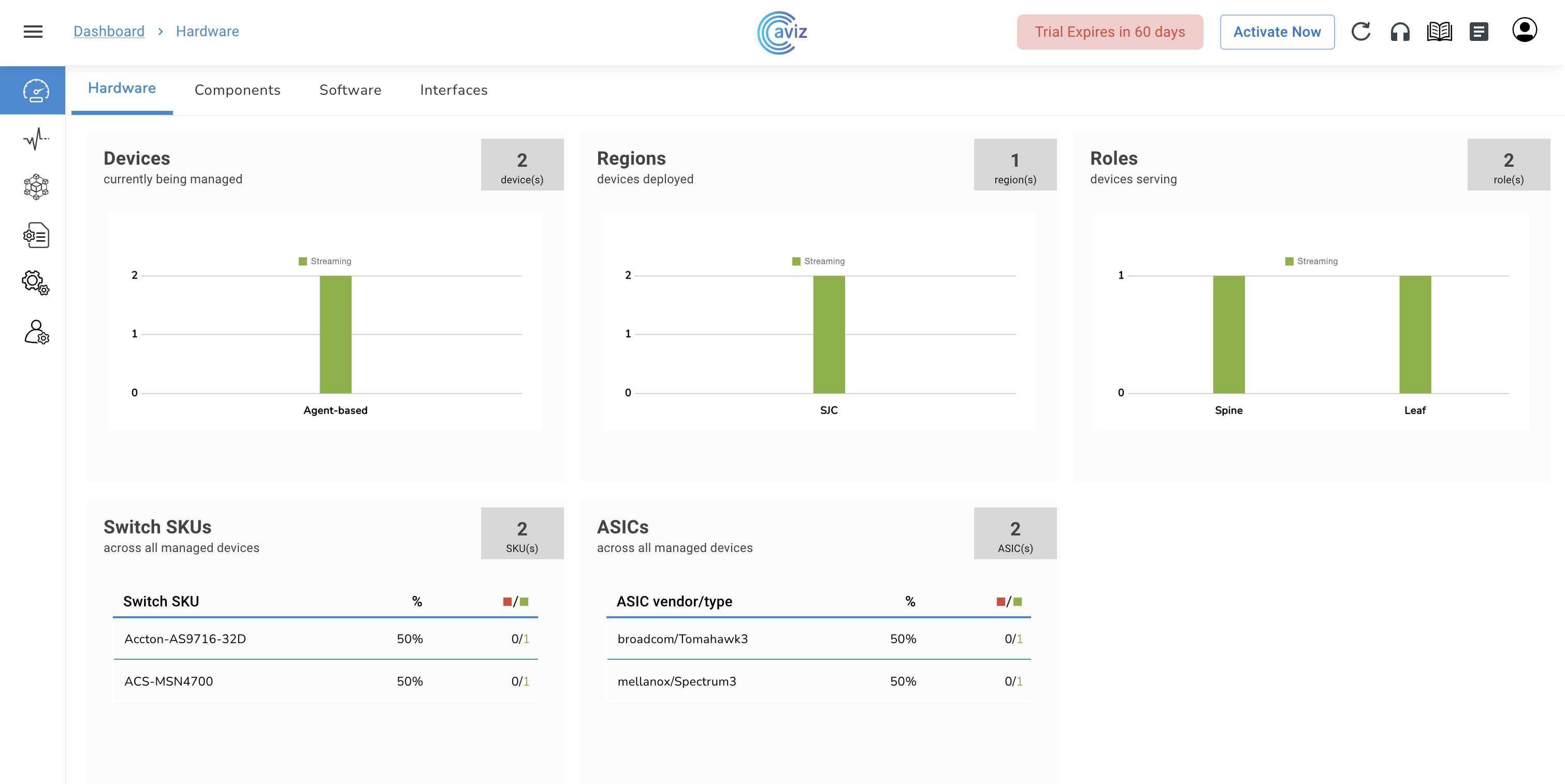
The dashboard provides the NetOps with an overview of the data centre. It contains the entire hardware inventory of the network and shows the status whether these switches are streaming or not streaming.

<figure><img src="https://content.gitbook.com/content/sjMG8ERI8JuFHFkm9MpV/blobs/1f3tr8IftHBOjQ8RoX52/Screenshot%202023-02-04%20at%202.36.00%20PM.png" alt=""><figcaption></figcaption></figure>

<table><thead><tr><th width="148" align="center">Feature</th><th>Use</th></tr></thead><tbody><tr><td align="center">Devices</td><td><p>Status of Switch</p><ul><li><mark style="color:blue;"><strong>Not Streaming</strong></mark>: The device is Inactive/Unreachable</li><li><mark style="color:blue;"><strong>Streaming</strong></mark>: The device is in a Working state</li></ul></td></tr><tr><td align="center">Regions</td><td>Status of Regions, their Location and Device Mappings</td></tr><tr><td align="center">Roles</td><td><p>Device Roles in Customer Environment</p><ul><li>Super-Spine</li><li>Spine</li><li>Leaf</li><li>ToR</li></ul></td></tr><tr><td align="center">Switch SKUs</td><td>Switch Hardware Vendor, Model Number and SKU</td></tr><tr><td align="center">ASICs</td><td>ASIC Vendor, Model and Hardware version details</td></tr></tbody></table>

* After the Installation of ONES Application for the first time, the Dashboard is empty and Devices need to be onboarded for them to reflect&#x20;
* Dashboard will be used to&#x20;
  * monitor the status of an agent running on all the devices present&#x20;
  * Device Roles and associated Regions and&#x20;
  * Details of Switch Hardware SKU and ASICs

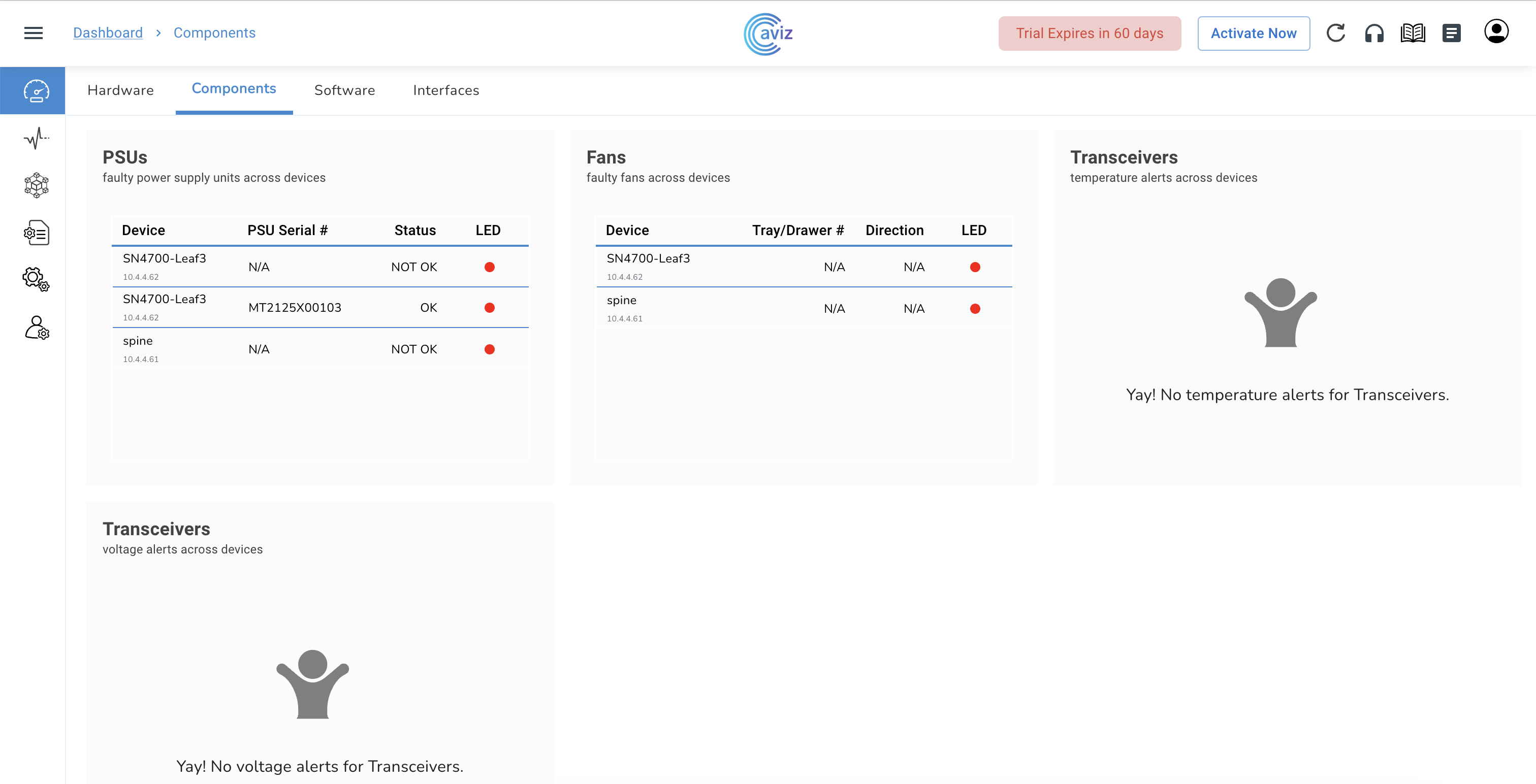
## Components

* Navigate to <mark style="color:blue;">**Dashboard >> Components**</mark>

<figure><img src="https://content.gitbook.com/content/sjMG8ERI8JuFHFkm9MpV/blobs/gjf4OC6ixHRYSnA5c5a2/Screenshot%202023-02-04%20at%202.36.36%20PM.png" alt=""><figcaption></figcaption></figure>

<table><thead><tr><th width="253">Feature</th><th>Use</th></tr></thead><tbody><tr><td>PSUs</td><td><p>Shows the list of</p><ul><li>all faulty Power Supplies across managed switches</li><li>LED status of managed switches</li></ul></td></tr><tr><td>Fans</td><td><p>Show the list of</p><ul><li>all faulty fans across managed switches</li><li>airflow direction of faulty fans for troubleshooting</li></ul></td></tr><tr><td>Transceivers Temperature</td><td>Temperature readings and alerts for Optics</td></tr><tr><td>Transceivers Voltage</td><td>Voltage readings and alerts for Optics</td></tr></tbody></table>

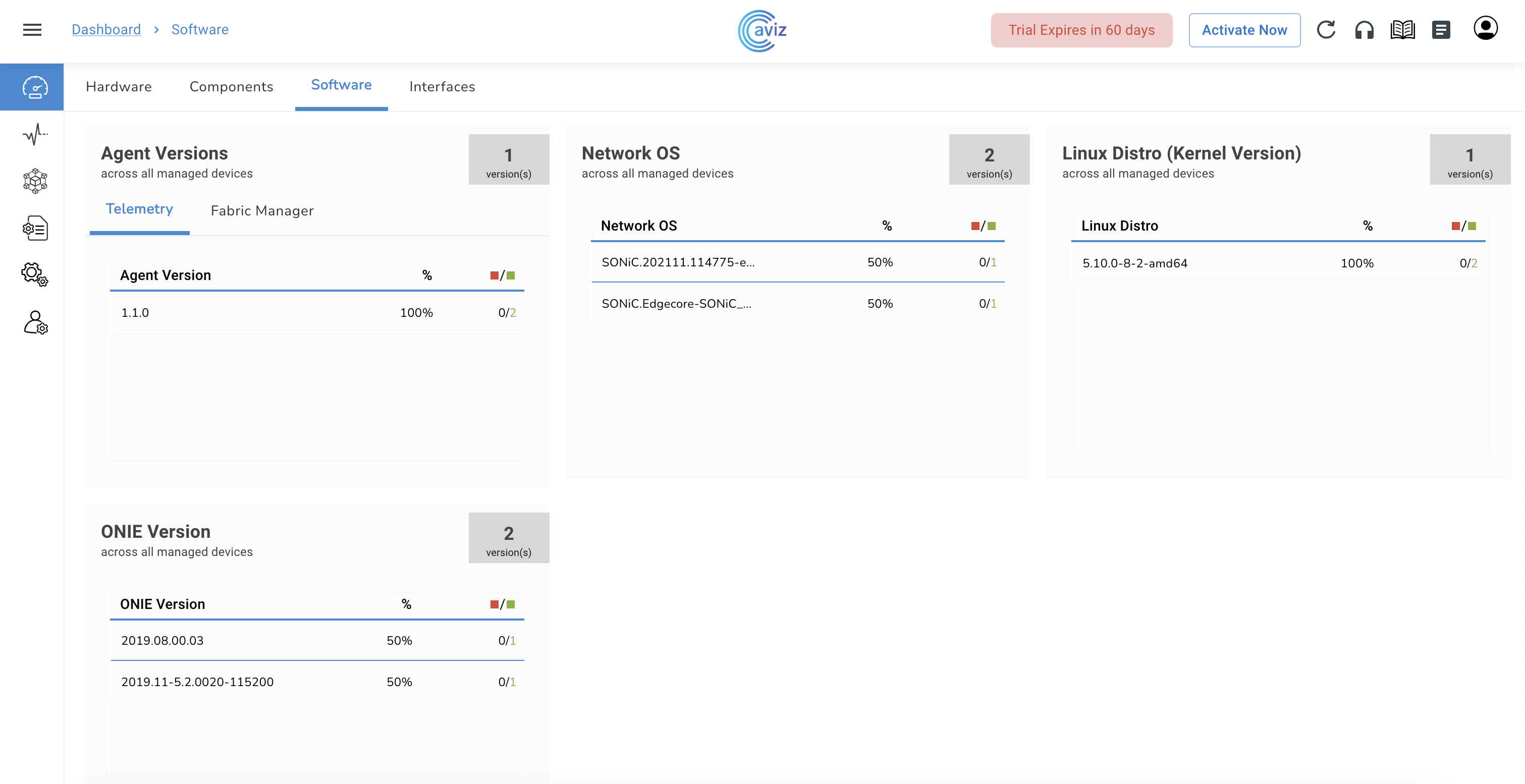
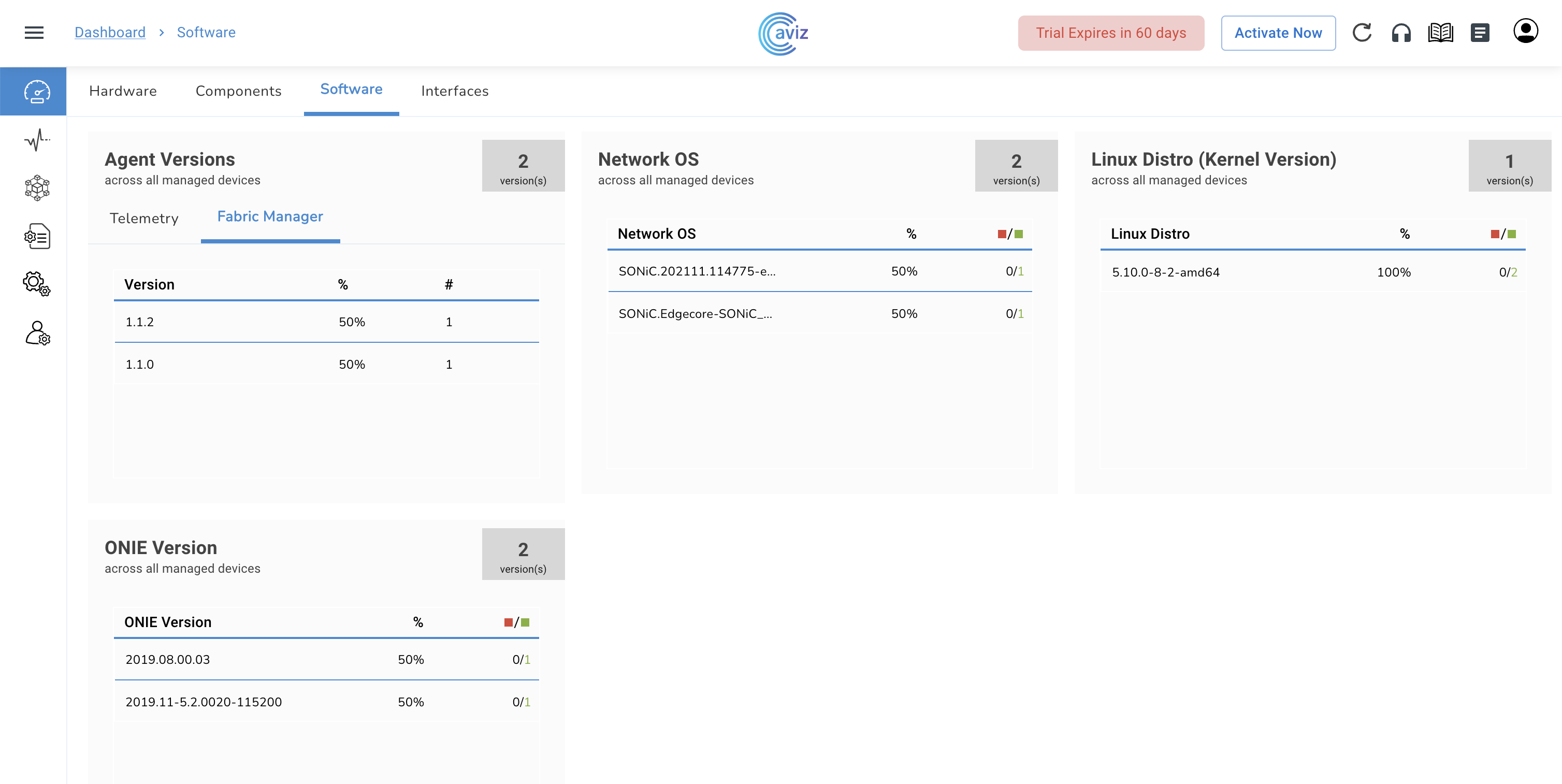
## Software

* Navigate to <mark style="color:blue;">**Dashboard >> Software**</mark>

<figure><img src="https://content.gitbook.com/content/sjMG8ERI8JuFHFkm9MpV/blobs/FMGFwFIlzmKWZjcD3rnt/Screenshot%202023-02-04%20at%202.37.10%20PM.png" alt=""><figcaption><p>Agent Version Running on all devices</p></figcaption></figure>

<figure><img src="https://content.gitbook.com/content/sjMG8ERI8JuFHFkm9MpV/blobs/9fPeXNPHLTJhFmwXOset/Screenshot%202023-02-04%20at%202.38.13%20PM.png" alt=""><figcaption><p>Fabric Manager Version Running on all devices</p></figcaption></figure>

<table><thead><tr><th width="237">Feature</th><th>Use</th></tr></thead><tbody><tr><td>Telemetry Agent version</td><td><ul><li>version across all managed switches</li><li>distribution of Agent-based vs Agent-less switches</li><li>Device Status (Up/Down) based on Distro</li></ul></td></tr><tr><td>Orchestrator Agent version</td><td><ul><li>version across all managed switches</li><li>Agent Health - Up and Down</li></ul></td></tr><tr><td>Network OS</td><td><ul><li>NOS status and version across all managed switches</li><li>Distribution based on NOS versions</li><li>Device Status (Up/Down) based on NOS versions</li></ul></td></tr><tr><td>Linux Distro</td><td><ul><li>version across all managed switches</li><li>Distribution based on Linux Distros</li><li>Devices Status (Up/Down) based on Linux Distro</li></ul></td></tr></tbody></table>

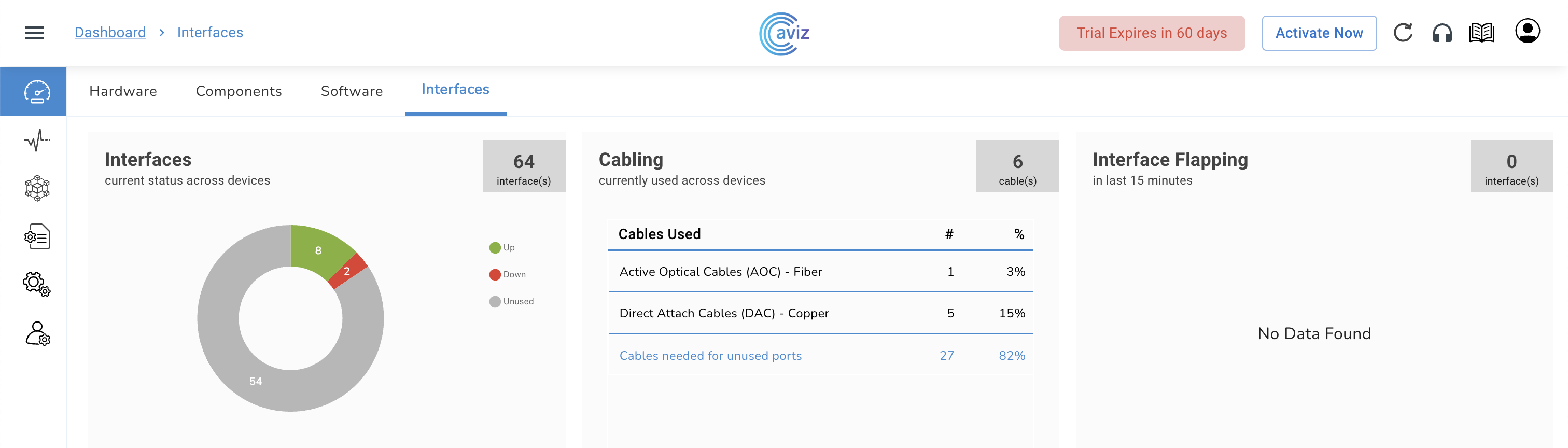
## Interfaces

* Navigate to <mark style="color:blue;">**Dashboard >> Interfaces**</mark>

<figure><img src="https://content.gitbook.com/content/sjMG8ERI8JuFHFkm9MpV/blobs/sTxT5vqaUUDfdKAVGnBI/Screenshot%202023-02-10%20at%201.04.27%20PM.png" alt=""><figcaption></figcaption></figure>

<table><thead><tr><th width="250">Feature</th><th>Use</th></tr></thead><tbody><tr><td>Interfaces</td><td><ul><li>Total number of ports available across devices </li><li>Status of Up interfaces across devices </li><li>Unused interfaces across the devices</li></ul></td></tr><tr><td>Cabling</td><td><ul><li>Total number of cables used across devices </li><li><p>Cable type used across device </p><ul><li>Fiber </li><li>Copper </li></ul></li><li>Count of cables required for unused ports</li></ul></td></tr><tr><td>Interface Flapping</td><td><ul><li>Information on Flapping Interfaces </li><li>Agent Status of a Device for a Down </li><li>Interface Historical Flaps starting with 15-minutes interval </li><li><p>Provides two types of Status:</p><ul><li><mark style="color:blue;"><strong>#of interfaces flapped</strong></mark></li><li><mark style="color:blue;"><strong>Device not streaming</strong></mark></li></ul></li></ul></td></tr></tbody></table>

* Using this page a user gets the status of&#x20;
  * the cables utilized in the network&#x20;
  * how many pairs of cable can be used for future topology (helps the admins in capacity planning)&#x20;
  * interface to identify if any power failure is happening over the interface